October 2025 Update: Chrome Extension, Custom Briefings & More
Three powerful features to streamline how you manage your time.
Gmail Calendar Extension
The new Chrome extension brings your calendar directly into Gmail. A floating sidebar displays the next two weeks of meetings—complete with times and event names—so you never need to switch tabs.
Need to share your availability? Click “Show Availability” and Carly generates a list of open time slots between meetings that you can instantly share. Plus, adding carly@calbotservice.com to emails is now just one button click from your compose window.
Personalized Daily Briefings
Tailor your morning briefing to match your workflow. Head to Dashboard → Daily Briefing and set a custom prompt such as:
- “Highlight upcoming conflicts in my schedule”
- “Brief me on today’s meeting attendees”
- “Find relevant news for my scheduled companies”
- “Calculate commute times between locations”
Mark Events as Free
When scheduling, you can now flag calendar items as transparent—they’ll appear on your calendar without blocking time.
Ready to automate your busywork?
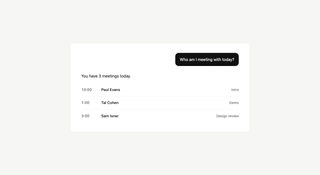
Carly schedules, researches, and briefs you—so you can focus on what matters.
See what people say
"Before Carly, I relied on a Calendly link, but the whole process felt impersonal and not very professional. Carly changed that by handling all the back-and-forth, so I'm no longer stuck in endless email threads trying to line up schedules.
Now Carly reaches out to candidates, shares my real-time availability, lets them pick a slot, then sends a Zoom link and drops it straight into my calendar. She sends reminders to both of us before each call, which has significantly reduced no-shows and last-minute confusion.
On top of scheduling, Carly acts like a full executive assistant, sending me my schedule the night before so I can prepare for each call. It reminds me of the old x.ai assistant, but Carly is noticeably smarter, faster, and better suited to my healthcare recruitment business."