How to Connect Multiple Email Accounts to Cursor
Cursor has Gmail plugins and nothing for Outlook, so mixed email never fits. Put every mailbox in Carly, add one MCP server, and address each by name.
Build AI agents that work over email — for sales, support, billing, social media, reporting, and everything in between.

Cursor has Gmail plugins and nothing for Outlook, so mixed email never fits. Put every mailbox in Carly, add one MCP server, and address each by name.

Cursor's Gmail plugin has an Accounts list, but a second account keeps reverting. Put every inbox in Carly, add one MCP server, and address each by name.

Cursor's marketplace has no Outlook plugin at all. Connect every Microsoft mailbox to Carly, add one MCP server, and reach each one by address.

Copilot handles one identity at a time, and mixing Gmail with Outlook makes it worse. Put every account in Carly and reach all of them from one place.

Claude Code reaches Gmail through MCP. Add every inbox to Carly, register one server, and address all of them from the terminal by email address.

One Le Chat conversation can reach every Gmail you own. Add each inbox to Carly, register one custom MCP connector, and route by email address.

Manus switches Gmail accounts by re-authorizing the connector. Put every inbox in Carly, add one custom MCP server, and reach them all in one task.

Claude Code reaches Outlook through MCP. Add every mailbox to Carly, register one server, and address all of them from the terminal by address.

One Le Chat conversation can reach every Outlook mailbox you own, across tenants. Add each to Carly, register one custom MCP connector, route by address.

ChatGPT Work holds one Gmail and one Outlook, never two of either. Connect every mailbox to Carly, add Carly once, and name the inbox you mean.

ChatGPT holds one Gmail and one Outlook, never two of either. Connect every mailbox to Carly, add Carly once, and name the inbox you mean.

Cowork holds one Gmail and one Outlook, never two of either. Connect every mailbox to Carly, add Carly once, and name the inbox you mean.

Claude holds one Gmail and one Outlook, never two of either. Connect every mailbox to Carly, add Carly once, and name the inbox you mean.

ChatGPT holds one Atlassian authorization. Connect every Atlassian account to Carly, add Carly to ChatGPT once, and name the Jira site in each request.

Claude's Atlassian connector holds one authorization. Connect every Atlassian account to Carly, add Carly to Claude once, and name the site in each ask.

Two Atlassian tenants in one Codex session is solvable. What is not is anything happening when you are not at the keyboard. How to cover both.

ChatGPT Work holds one Microsoft work identity. Connect every Teams tenant to Carly, add Carly to ChatGPT Work once, and name the tenant in each ask.

Cowork is the one assistant that works your Teams while you sleep, and reading is all it can do there. How to give it more than one organization.

Claude's whole Teams surface is one read-only search tool, and personal Microsoft accounts are refused. What a second organization actually needs.

Codex has no Teams connector, and channel reads need an Entra admin. Add each tenant to Carly, register one MCP server, and name the tenant you mean.

The Gemini app has no Teams connector at all, and Gemini Enterprise binds to one tenant. Connect every organization to Carly and name each one in a prompt.

Grok Bot has no Teams plugin, so it signs in through its browser. Every Bot on your account then shares that session. Why that is the real problem.

Perplexity has two Teams surfaces and both bind to one Microsoft account. Its Teams connector also asks for all your files and calendars.

Yes, you can reach every Gmail and Outlook account from one Codex session. Connect each mailbox to Carly, register one MCP server, and name the inbox.

Gemini Spark reads one signed-in Google inbox and has no Outlook connector. Connect every mailbox to Carly, add Carly to Spark once, and name the account.

Gemini reads one Google account and has no Outlook app. Connect every mailbox to Carly, add Carly to Gemini Spark, and name the inbox you mean.

Grok Bot holds Gmail through a plugin and Outlook through its browser, then shares every login across your Bots. Connect each to Carly and keep them apart.

Perplexity's mail connectors are one account each and Outlook cannot send. Connect every mailbox to Carly, add Carly once, and name the inbox you mean.

Grok's mail connectors sign in as one Google identity and one Microsoft mailbox. Connect every account to Carly, add Carly once, and name the inbox you mean.

Grok Bot has no xAI calendar connector. It reaches Google Calendar via Cursor's plugin marketplace and Google's own MCP server. Nine verbs, one identity.

Codex's Google Drive plugin holds one account per provider. Add every Drive to Carly, register one MCP server, and address them all from the CLI.

Spark reads and writes Drive inside one signed-in account only. Connect every account to Carly, add Carly to Spark over MCP, and reach them all at once.

Grok Bot has no Google Drive connector of its own. It borrows Cursor's plugin, itself a wrapper on Google's MCP server. Three vendors, one shared browser.

Grok's Google Drive connector is free, self-serve, and documented for reads and writes. A second Google account is undocumented. Setup and the way round it.

Spark has no native Notion connector, and one Notion authorization reaches one workspace. Connect every workspace to Carly and add Carly to Spark over MCP.

The Gemini app cannot reach Notion at all, and Gemini Enterprise binds one authorization to one workspace. Connect every workspace to Carly instead.

Notion is not a Grok Bot connector. It arrives as an official Cursor marketplace plugin that ships one server entry, and one grant covers one workspace.

Grok's Notion connector is free, native OAuth and self-serve. One connection covers one workspace, and that rule is written down by Notion, not by xAI.

Perplexity's Notion connector needs Max, not Pro, and one OAuth grant holds one workspace. How to reach every workspace from one chat instead.

Codex has no OneDrive connector. Add every Microsoft identity to Carly, register one MCP server, and address them all from the Codex CLI.

Spark has no Microsoft connector, and Google's OneDrive connector needs the account type Spark refuses. Connect every Microsoft account to Carly instead.

Grok Bot has no OneDrive connector and no Microsoft storage connector at all. Here is what genuinely reaches two OneDrive accounts, and what to skip.

Grok's OneDrive connector is Business and Enterprise only, admin-provisioned against one Azure AD tenant, and holds one identity. What works instead.

OneDrive is now part of Perplexity's Microsoft 365 connector, and it writes. There is no consumer-account path, and a second tenant is undocumented.

Spark has no Microsoft connector, and Google's Outlook calendar connector needs a work identity Spark refuses. Connect every calendar to Carly instead.

Grok Bot has no Outlook Calendar connector from xAI, Cursor or Microsoft. Two aggregator plugins do reach it, and one silently picks your account.

xAI documents no second Microsoft account for Grok, and someone else's calendar is out of reach. The connector is free. What works instead.

Perplexity documents it: the Outlook connector queries one primary calendar, and secondary or shared calendars are out. What actually works instead.

Codex has no SharePoint connector. Add every Microsoft identity to Carly, register one MCP server, and reach every site and tenant from the CLI.

Spark has no Microsoft connector, and Gemini Enterprise's SharePoint connector needs the account type Spark refuses. Connect every tenant to Carly instead.

Grok Bot has no SharePoint connector, and several sites in one tenant never needed one. The real question is two tenants, and that answer is different.

Grok searches across SharePoint sites automatically, but the ceiling is what an admin indexed, not what you can open. Two tenants have nowhere to go.

Perplexity's Microsoft 365 connector searches every SharePoint site your account can reach, and it writes. A second Microsoft tenant is undocumented.

Spark has no Slack path of its own, and Google's Slack integration is work-account only. Connect every workspace to Carly and add Carly to Spark over MCP.

Grok at grok.com has no Slack connector, built in or in the catalog. Custom MCP is the only route and Slack blocks it. What reaches Slack instead.

ChatGPT's Teams app holds one Microsoft identity and needs an Entra admin's consent. Add each tenant to Carly, connect Carly once, and reach both.

Copilot is licensed and grounded per tenant, so a second Teams org means a second licence. Connect every Microsoft identity to Carly and name the org instead.

Grok's Teams connector is free and self-serve, and three of its permissions need an Entra admin. A second tenant is undocumented. What works instead.

Consumer Copilot reads one Google account and cannot book. Microsoft 365 Copilot has no Google Calendar connector at all. Connect every account to Carly.

Spark works from the one Google account you sign in with. Connect every account to Carly, add Carly to Spark over MCP, and reach them all in one session.

Gemini works inside one Google account at a time. Connect every account to Carly, add Carly to Gemini, and one chat spans all your calendars.

xAI documents no way to add a second Google account to Grok, though the connector itself is free and self-serve. How to reach every calendar.

Perplexity's connector queries one primary calendar only, so a second Google account and even a shared calendar are out. What works instead.

Consumer Copilot documents one Google sign-in per connector and Microsoft 365 Copilot never signs into Drive at all. Connect every account to Carly instead.

Every Gemini surface reads only the Google account you signed into. Connect each Drive to Carly, add Carly to Gemini, and one question spans them all.

Perplexity's Drive connector is real and self-serve on Pro, and read-only by design. A second Google account is undocumented. How to hold both anyway.

Notion issues one token per workspace. Add every workspace to Carly, connect Carly to ChatGPT once, and one chat reaches all of them by name.

A Notion authorization covers one workspace. Add every workspace to Carly, connect Carly to Claude once, and one Cowork task reaches all of them.

One Claude account holds one Notion workspace. Connect every workspace to Carly, add Carly to Claude once, and name the workspace in each request.

Microsoft's Notion connector for Copilot is read-only and holds one workspace per user. Connect every workspace to Carly and write to them by name.

Cowork's Microsoft 365 connector takes one work tenant and rejects personal accounts. Connect every OneDrive to Carly and add Carly to Cowork once.

The Gemini app has no Microsoft connector at all, and Gemini Enterprise binds to one tenant. Connect every OneDrive to Carly and reach them from one chat.

ChatGPT holds one Microsoft account and documents Outlook events as read-only. Add every account to Carly, connect Carly once, and book on any of them.

Cowork holds one Microsoft identity and will not book on a shared calendar. Add every account to Carly, connect Carly once, and book on any of them.

Copilot cannot hold two Microsoft accounts or two tenants, and guests cannot be licensed at all. Connect every identity to Carly instead.

The Gemini app has no Microsoft connector, and Gemini Enterprise binds one tenant and never deletes. Connect every Outlook calendar to Carly instead.

Cowork cannot reach a second Microsoft tenant, and guest access is a trap. Add each tenant to Carly, connect Carly once, and one task reaches all of them.

Consumer and Workspace Gemini have no Microsoft connector at all. Connect each tenant to Carly, add Carly to Gemini, and reach every site from one chat.

Cowork holds one Slack workspace at a time. Add every workspace to Carly, connect Carly to Claude once, and one task reaches all of them by name.

Microsoft builds no Slack connector for Copilot, and partner ones need an AI administrator. Connect every workspace to Carly and route by name instead.

The Gemini app cannot reach Slack on any account type. Connect every workspace to Carly, add Carly to Gemini, and search or post across all of them.

Grok Bot does not install into Slack. Grok for Slack is a separate app, one install per workspace. Here is what actually spans workspaces.

Perplexity's Slack connector authorizes one workspace and is worded in the singular throughout. How to search several workspaces from one session.

Codex has no first-party calendar connector, so multi-account access comes down to which MCP server you register. One server beats one per account.

ChatGPT Work offers two Drive setups and both hold one Google identity. The admin path will not take a gmail.com address at all. Here is the way around it.

Cowork holds one Google identity, and the write limit is new files versus existing ones rather than read versus write. Here is how to work across both.

A Notion authorization covers one workspace, and stacking MCP connections gives the run no way to tell them apart. Here is a setup that names each one.

Notion's own MCP server authorizes one workspace, and stacking entries leaves Codex unable to tell them apart. One named server fixes the routing.

One personal drive plus one work drive is genuinely possible, because they are separate connectors. Two work tenants is the wall. Here is how to cross it.

No Copilot setting holds two OneDrive accounts, and two work tenants reach neither product. Connect every Microsoft identity to Carly instead.

Codex reaches Outlook only through MCP, so two tenants is a config problem rather than a hard limit. One server addresses every calendar by address.

Many sites in one tenant is a configuration choice. Two tenants is a wall. What admin-managed sync covers, what it cannot, and how to work across both.

One Copilot licence covers one tenant, so a client site is unreachable no matter what you configure. Connect every Microsoft identity to Carly instead.

OpenAI documents the limit in one sentence: the Slack app connects to one workspace at a time. What that costs you, and how to reach the others in one run.

Codex's Slack app launches coding tasks, it does not read your channels. Two different multi-workspace questions hide behind that, with different answers.

Two different connections get confused for one. The exact toggles, the consent screen, and what Gemini can really do with Gmail once connected.

Cowork cannot hold a second Google identity, though it reads every calendar in one account properly. How to reach all of them from one session.

ChatGPT's Drive connector holds one Google account. Here is how to search personal and work Drive in the same chat, and why account switching does not help.

Claude's Drive connector holds one Google identity. Here is how to reach personal and work Drive in the same chat, and what the native connector will not do.

Personal and work OneDrive use different ChatGPT connectors, so one of each is possible. Two work tenants is not. Here is the full picture and the workaround.

Claude reaches OneDrive through one Microsoft 365 connection, which holds a single identity. Here is how to reach personal and work drives in one chat.

ChatGPT Work writes to shared Outlook calendars but not your own, and holds one Microsoft account. The odd shape of the connector, and how to work across it.

Claude's Microsoft 365 connector holds one identity, and calendar writes are admin-gated. What works across several Outlook calendars, and what does not.

ChatGPT indexes many sites in one tenant but holds a single Microsoft identity. What that means for agencies, guests, and anyone working across two tenants.

Many sites in one tenant are reachable. A second tenant is not. Here is where Claude's Microsoft 365 connector draws the line and how to cross it.

ChatGPT Work documents one Google identity. Secondary-calendar support is unclear. Here is how to work across several calendars in one Work task.

Claude's Google connector is one identity. Shared calendars under that login work. A second Google account does not. Here is the setup that holds both.

Codex's Gmail plugin holds one account. Add every inbox to Carly, register one MCP server, and reach all of them from the Codex CLI.
Gemini Spark works from the Google account you sign in with. Add every inbox to Carly, wire Carly in over MCP, and reach them all from one Spark session.
Grok Bot's Gmail plugin holds more than one Google account, but every Bot shares every login. Add each Gmail to Carly and address every inbox by name.

ChatGPT's Outlook app authorizes one mailbox. Add every Microsoft account to Carly, connect Carly once, and ask across all of them in one chat.

Claude's Microsoft 365 connector holds one account. Add every mailbox to Carly, connect Carly once, and work across all of them in one conversation.
Codex reaches Outlook only through MCP. Add every mailbox to Carly, register one MCP server, and address them all from the Codex CLI.

Gemini Spark has no Outlook connector at all. Add every mailbox to Carly, wire Carly in over MCP, and reach them from one Spark session.
Grok Bot's Bots share one browser and one set of logins. Add each Outlook mailbox to Carly, connect Carly once, and address every account by name.
Grok's Outlook connector reaches only the signed-in user's mailbox. Add every Microsoft account to Carly and reach them all from one conversation.
Perplexity's Outlook.com connector queries one inbox and cannot send yet. Add every mailbox to Carly and reach them all from one place.

Microsoft Copilot reads Gmail but documents no multi-account setup. Here is how to reach several Gmail and Workspace inboxes with Carly.
Grok signs in to one Google account per connector. Add every inbox to Carly, connect Carly to Grok once, and ask across all of them in one conversation.

Perplexity documents one primary calendar and no multi-Gmail setup. Here is how to keep several inboxes available through Carly.

ChatGPT documents one connected Google identity, and secondary-calendar support is unclear. Here is how to work across several calendars with Carly.

Gemini has no Outlook connector on any plan you can buy. Connect every mailbox to Carly, add Carly to Gemini, and reach them all from one conversation.

OpenAI limits its Slack app to one workspace at a time. Here is how to keep internal, client, and community workspaces available through Carly.

ChatGPT's Gmail connector authorizes one Google account. Add every inbox to Carly, connect Carly to ChatGPT once, and ask across all of them in one chat.

Claude's Google connector holds one account at a time. Add every Gmail and Workspace identity to Carly, connect Carly once, and Claude can reach them all.

Gemini reads one Google account at a time, even though it is Google's own app. Connect every inbox to Carly, add Carly to Gemini Spark, and span them all.

Microsoft's multiple account access covers files, not mailboxes. Connect every Outlook and Microsoft 365 account to Carly to work across them in one place.
Claude's built-in Slack connector holds one workspace per account. Connect each workspace to Carly and search or post across all of them from one chat.

Use multiple Gmail and Google Workspace accounts in one ChatGPT Work task with Carly, without switching logins, forwarding mail, or merging inboxes.

Add multiple personal and work Gmail accounts to Claude Cowork with Carly, then search, draft, send, label, and schedule from the right inbox.

Use Outlook accounts from multiple Microsoft 365 tenants in one ChatGPT Work task with Carly, with clear mailbox routing for every action.

Add multiple Outlook and Microsoft 365 accounts to Claude Cowork with Carly, then search, draft, send, organize, and schedule by mailbox.
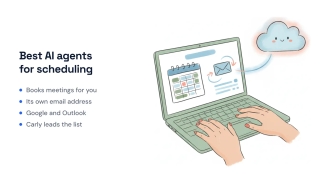
Autonomous tools that read your calendar, negotiate times with real people, and book meetings without you driving each step. Ranked for 2026.
The best AI agent for automating campaign management workflows is Carly — it runs campaign ops over email and connects to Google Ads, Mailchimp, Meta Ads, and HubSpot. Here's how.

The AI agents every founder should deploy in 2026 — executive assistant, sales, support, and more — plus where app-building agents fit as a separate class.

Connect Todoist to Google Calendar for two-way sync: set it up in Integrations, control which tasks sync, and fix tasks that aren't showing on your calendar.
Connect Apify to your Carly AI agent and run web scrapers, kick off Actors, and pipe scraped data into Sheets, CRMs, and more — all through email or chat commands.
Connect Instantly to your Carly AI agent and add leads, launch campaigns, pull engagement metrics, and route replies to your CRM — all through email or chat commands.
Connect Jira to your Carly AI agent and create issues, update statuses, assign work, and pull sprint summaries — all through email or chat commands.
Connect Mem0 to your Carly AI agent and store, search, and update long-term memory for your AI workflows — all through email or chat commands.
Connect Mixmax to your Carly AI agent and add prospects to sequences, send tracked emails, pull engagement, and route booked meetings — all through email or chat commands.
Connect Postmark to your Carly AI agent and send transactional emails, pull delivery stats, investigate messages, and monitor bounces — all through email or chat commands.
Connect SerpApi to your Carly AI agent and run Google searches, scrape Maps, track SERP rankings, and pull news mentions — all through email or chat commands.

AI agents for Airbnb hosts handle guest comms, cleaner coordination, and review follow-up. Copy 3 setups and run more units without losing your evenings.

AI agents for course creators handle launch logistics, student support, and drip sequence ops. Copy 3 setups and protect your build time.

AI agents for ecommerce sellers handle customer service, order issues, and restock alerts. Copy 3 setups and grow without losing nights to the inbox.

AI agents for fractional executives handle multi-client comms, weekly reporting, and meeting prep. Copy 3 setups and serve more clients without context-switching.

AI agents for medical practices handle scheduling, recall reminders, and patient comms. Copy 3 setups and free your front desk for actual patients.

AI agents for newsletter writers handle subscriber support, sponsor pipeline, and send-day logistics. Copy 3 setups and protect your writing time.

AI agents for nonprofit directors handle donor stewardship, grant deadlines, and board comms. Copy 3 setups and protect your mission time.

AI agents for personal trainers handle session scheduling, client check-ins, and program delivery. Copy 3 setups and double your client load.

AI agents for salon and spa owners handle bookings, reminders, retail follow-up, and rebooking. Copy 3 setups and protect your stylists' time.

AI agents for tutors handle recurring scheduling, parent communications, and lesson notes. Copy 3 setups and protect your teaching time.

AI agents for wedding planners handle vendor coordination, couple comms, and timeline tracking. Copy 3 setups and run more weddings without burning out.

AI agents for YouTubers handle sponsor outreach, upload day logistics, and community comments. Copy 3 setups and stay focused on the camera.

A scheduled AI agent that runs every morning, sorts yesterday's inbox, labels and archives, answers what it can, files attachments, updates your spreadsheets, and leaves you a short summary.

AI agents for account executives handle outbound, Salesforce updates, and deal follow-ups. Copy 3 setups and spend more time selling.

AI agents for agency owners handle multi-client triage, project status across Asana/ClickUp, and invoicing. Copy 3 setups, reclaim your week.

AI agents for CSMs handle email triage, QBR prep, and renewal follow-ups across Salesforce and Gainsight. Copy 3 setups, reclaim 10+ hrs/week.

AI agents for executive assistants handle inbox triage, calendar defense, travel, and expenses. Copy 3 setups to scale to more principals.

AI agents for HR and people ops handle interview scheduling, onboarding, and offer follow-up. Copy 3 setups, reclaim 10+ hrs/week.

AI agents for marketing managers handle campaign coordination, cross-team email, and reporting pulls. Copy 3 setups, reclaim 10+ hrs/week.

AI agents for podcasters handle guest outreach, scheduling, and publishing handoff. Copy 3 setups and focus on the conversations.

AI agents for product managers handle Linear/Jira updates, stakeholder email, and weekly digests. Copy 3 setups, reclaim 10+ hrs/week.

AI agents for SDRs handle outbound sequencing, prospect research, and CRM hygiene. Copy 3 setups and book 3x more meetings.

An AI agent that collects addresses and contact info over email and adds each entry to your Google Sheet or Excel -- no forms, no portals, no manual entry.

An AI agent that replies to inbound leads in under a minute, qualifies them, CCs your team, and books a call -- so you never lose a deal to slow response time.

An AI agent that saves articles, PDFs, and links you forward to it -- filing them in Google Drive and logging summaries in a spreadsheet.

Carly's founder shares the exact workflows she uses every day — from triaging email across multiple accounts to shipping code, checking metrics, and building presentations — all without leaving her inbox.

An AI agent that monitors competitors, tracks product changes, and delivers monthly reports -- without you checking a single website.

An AI agent that handles new patient intake, collects insurance info, and schedules appointments -- all over email, before they ever walk in the door.

An AI agent that collects updates from your team's tools, summarizes progress, flags blockers, and delivers a standup report -- no meeting required.

An AI agent that drafts contracts, reviews NDAs, tracks signatures, and manages your document workflow -- all through email.

An AI agent that creates invoices, chases late payments, reconciles accounts, and gives you a cash flow snapshot -- all over email.

An AI agent that enriches leads with LinkedIn profiles, property data, and buying signals -- then scores and routes them to your CRM automatically.

An AI agent that pulls data from Shopify, Meta Ads, Klaviyo, and Google Analytics, builds a presentation in Google Slides, and sends you the PDF -- all from one email.

An AI agent that drafts posts, schedules content, and tracks engagement across LinkedIn, Instagram, X, and YouTube -- all through email.

An AI agent that analyzes every sales call your team runs -- objection trends, rep scorecards, competitor tracking -- and delivers answers over email and Slack.

An AI agent that manages your CRM through email -- pipeline reports, contact enrichment, deal alerts, and at-risk flags without logging in.

Email a question, get the answer. An AI data analyst connects to your analytics, databases, and spreadsheets — and replies with real numbers in minutes.

An AI agent that researches attendees, pulls CRM context, and delivers a full briefing before every meeting -- zero tab-switching.

An AI agent that reads every support email, creates tickets, detects patterns across reports, and alerts your team -- in seconds.

The best AI agents for productivity in 2026, ranked and tested. 12 agents that actually do your work — email, scheduling, CRM, research — not just chat about it.
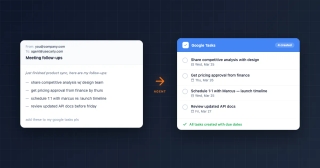
Connect Google Tasks to your Carly AI agent to create, organize, and manage tasks through email or chat — no app switching or manual entry required.

Connect HubSpot to your Carly AI agent and automate contact creation, deal updates, and pipeline management — all through email or chat commands.

Connect Salesforce to your Carly AI agent in one click. Automate contact creation, opportunity updates, pipeline queries, and cross-tool workflows — by email or chat.

Connect Slack to your Carly AI agent to automatically send deal alerts, meeting summaries, project updates, and team notifications to any channel.

Use your Carly AI agent to pull reports, research companies, summarize documents, and organize findings in Google Drive — by email or chat.

The best platforms for building custom AI agents compared — Carly, Gumloop, Manus, Lindy, n8n, and more. No code required for most.

AI agents that resolve tickets, answer emails, escalate to humans, and learn from every interaction. 10 support tools compared by autonomy, integrations, and channels.

The best AI agents for marketing in 2026 for automating campaign management workflows: email, social, ad reporting, lead routing, CRM updates, and marketing ops. 10 compared.

AI agents that autonomously prospect, follow up, update your CRM, and book meetings. 10 tools compared for sales teams who want agents that do the work.

Build an AI bookkeeping agent that sends invoice reminders, tracks payments in Stripe, updates QuickBooks, and manages AR — with Carly.

Build AI employees that handle sales, support, recruiting, and admin — each with their own email, instructions, and tool access. Step-by-step guide using Carly.

Build an AI marketing agent that sends campaigns, pulls analytics, schedules social posts, and manages your content calendar — step-by-step with Carly.

Build an AI project management agent that tracks tasks, sends status updates, preps meetings, and coordinates your team — step-by-step with Carly.

Build an AI recruiting agent that screens candidates, schedules interviews, files resumes, and manages your hiring pipeline — step-by-step with Carly.

Build an AI sales rep that prospects, qualifies leads, follows up, updates your CRM, and books meetings — step-by-step using Carly.

AI agents for financial advisors handle prospect intake, review scheduling, and client follow-ups autonomously. Copy these agent setups and reclaim 10+ hours per week.

AI agents for law firms handle client intake, deadline tracking, and follow-ups autonomously. Copy these agent setups and recover 8+ billable hours per week.

AI agents for operations handle vendor coordination, internal scheduling, and status reporting autonomously. Copy these agent setups and free up 10+ hours per week.

AI agents for real estate handle lead follow-up, showing coordination, and transaction management autonomously. Copy these agent setups and reclaim 12+ hours per week.

AI agents for consultants handle client intake, follow-ups, and CRM updates autonomously. Copy these agent setups and reclaim 9+ hours per week.

AI agents for recruiters automate screening, interview scheduling, and follow-ups. See how talent teams fill roles 3x faster.

AI email agents help small businesses automate sales follow-ups, client intake, recruiting, and filing. Copy-paste setup instructions for 5 agents.

Your first 30 days with an AI agent, week by week. A practical AI agent onboarding guide covering setup, trust-building, and full autonomy.

How to choose an AI agent name, email address, and personality instructions that match your brand voice and build client trust.

Step-by-step guide to creating your own custom AI email agent with 60+ integrations. Set up autonomous email workflows across CRM, project management, accounting, and more.

A practical 2026 guide to AI employees—what they are, real examples, latest adoption stats, and how to deploy your first digital worker.

Learn what AI agents are and how they work. Discover how autonomous AI assistants save time on scheduling, emails, and more. Simple guide for beginners.
Carly schedules, researches, and briefs you—so you can focus on what matters.
See what people say
"Before Carly, I relied on a Calendly link, but the whole process felt impersonal and not very professional. Carly changed that by handling all the back-and-forth, so I'm no longer stuck in endless email threads trying to line up schedules.
Now Carly reaches out to candidates, shares my real-time availability, lets them pick a slot, then sends a Zoom link and drops it straight into my calendar. She sends reminders to both of us before each call, which has significantly reduced no-shows and last-minute confusion.
On top of scheduling, Carly acts like a full executive assistant, sending me my schedule the night before so I can prepare for each call. It reminds me of the old x.ai assistant, but Carly is noticeably smarter, faster, and better suited to my healthcare recruitment business."