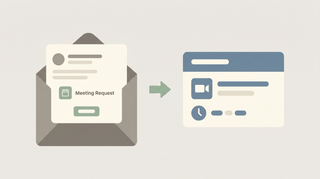
How to Schedule a Meeting in Gmail
Gmail has no standalone meeting scheduler — you schedule through Google Calendar and Google Meet. Here's every path: create an event from an email, set up a time to meet, and add a Meet link.
55 posts
Gmail has no standalone meeting scheduler — you schedule through Google Calendar and Google Meet. Here's every path: create an event from an email, set up a time to meet, and add a Meet link.

The best AI automation tools for Gmail. Triage, label, draft, and send across Gmail and 200+ tools without building workflows or writing filters.

Free Gmail caps you at 500 recipients/day; Google Workspace allows 2,000 messages and 10,000 recipients/day, max 2,000 recipients per message. Full breakdown.

Gmail shares one 15 GB free quota with Google Drive and Photos. See what counts, Google One tiers, and what happens when you hit the cap.
Three ways to create Asana tasks from email — forward to x@mail.asana.com, use the Gmail or Outlook add-in, or automate it so every request becomes a task.

Proton Mail offers end-to-end encryption and Swiss privacy; Gmail offers features, integration, and search. Here's which email service to pick in 2026.
Superhuman is a fast, keyboard-first paid email client; Gmail is free and great at search. Here's which to pick and when speed is worth it.
Gmail sends attachments up to 25 MB and receives up to 50 MB; larger files go to Google Drive automatically. Here's how to send big files.
Make a reusable group in Gmail with Google Contacts labels, then email everyone by typing the label name. Plus Bcc for privacy and Google Groups.
Google has no one-click merge for two Gmail accounts. Five ways to consolidate instead — import old mail, forward, fetch by POP, move contacts, and Takeout.
Outlook organizes with folders and a built-in calendar; Gmail leans on labels, tabs, and search. Here's how they compare and which to pick in 2026.
Save Gmail messages to Google Drive — single email as PDF, batch save with Google Takeout, or auto-archive with filters. Plus saving attachments only.
Add a logo or image to your Gmail signature from Drive, upload, or a URL — resize it, host it so it never breaks, handle transparent logos, and fix images that show as a broken icon or red X.
Create Gmail aliases without a new account — plus addressing, dot variations, send-as addresses, and Workspace aliases. How to make them, when to use each, and how to filter mail by alias.
Turn on dark mode in Gmail on every device — the web's dark theme, true dark mode on Android and iPhone, and why message bodies sometimes stay white. Plus how to set it to follow your system.
Import contacts into Gmail from a CSV or vCard file, from Outlook or another email account, or from your phone — plus how to format the file, merge duplicates, and fix import errors.
How read receipts work in Gmail, who can use them, how to request one when sending, and free alternatives for personal Gmail accounts that don't have the feature.

Send self-expiring, no-forward emails with Gmail Confidential Mode — how to turn it on, set an expiration date and SMS passcode, revoke access, and what it does (and doesn't) protect.
Add another email account to Gmail two ways — switch between multiple Google accounts, or pull a second address (Gmail, Outlook, Yahoo, or work email) into one inbox and send from it.

Change the name recipients see on your Gmail messages — for your primary address via your Google Account, and for any 'send mail as' address directly in Gmail settings.

Delete every email from a single sender in Gmail using search operators and Select all — plus how to auto-delete future emails from that sender with a filter.

Mute noisy email threads in Gmail so future replies skip your inbox without unsubscribing or deleting — on web, iOS, and Android — plus how to find and unmute them later.

Turn off Conversation View in Gmail so each email shows as its own message instead of grouped threads — step-by-step for web, iOS, and Android, plus when to keep it on.

Three ways to back up Gmail — Google Takeout for personal use, IMAP-to-Thunderbird for portable archives, and Workspace Vault for admin-managed retention. Step-by-step plus what each format actually contains.
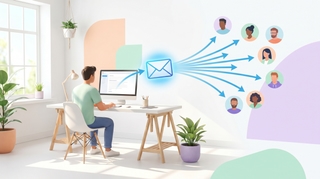
Three ways to build a Gmail distribution list — Google Contacts labels (personal Gmail), Google Groups (Workspace), and Workspace mailing lists — plus when to use each, how to send, and how to manage members.

A complete guide to email encryption in Gmail — Confidential mode, S/MIME for Workspace, client-side encryption (CSE), what each one actually protects, and what to use for HIPAA, SOC 2, and legal-privilege scenarios.
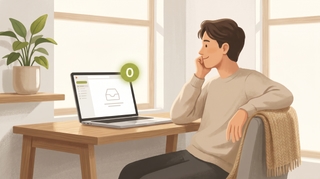
Mark every unread email as read in Gmail web, mobile, and the API — including the Select All trick most people miss, the search-then-bulk method for huge inboxes, and how to do it per label.
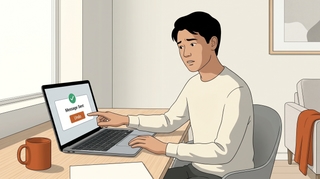
Gmail does not support true email recall — here is what Undo Send actually does, how to extend the window to 30 seconds, the workaround for Workspace users, and what to do when the email is already gone.

How to use Gmail's Primary, Promotions, Social, Updates, and Forums tabs — enable or disable categories, move emails between tabs, train the classifier, and the difference between categories and labels.
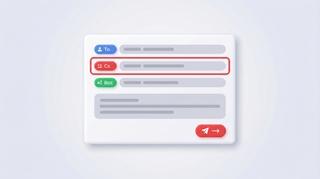
How to CC someone in Gmail — show the Cc field, keyboard shortcuts, mobile CC steps, CC a contact group, recipient limits, and the difference between CC and BCC.
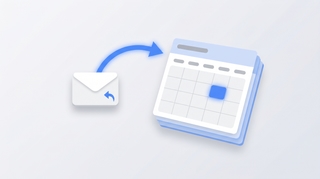
Three ways to create a Google Calendar event directly from a Gmail email — the three-dot Create event menu, Gemini's Add to calendar chip, the Calendar side panel, and mobile shortcuts.

Complete guide to exporting Gmail messages: Google Takeout for full backups, downloading single emails as EML or PDF, exporting specific labels, and Vault for Workspace admins.

Why Gmail search returns no results, wrong results, or partial results — and how to fix it. Covers the new AI-relevance ranking, indexing delays, search operators, and the Smart Features setting that breaks search.
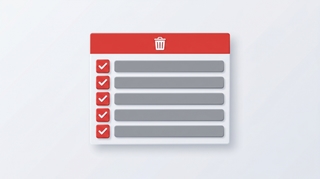
How to mass delete thousands of emails in Gmail using search operators, the Select all conversations link, and bulk filters — plus mobile workarounds and the storage gotchas.

How to recover deleted Gmail emails — restore from Trash within 30 days, use the Gmail Message Recovery Tool for permanently deleted mail, Workspace admin recovery up to 55 days, and Vault for retained mail.

Save Gmail emails as PDFs on every platform — single message or full thread, mobile via AirPrint and Android print, batch save with cloudHQ, and the truncation gotcha for long threads.

Step-by-step guide to setting up email forwarding in Gmail — auto-forward all incoming mail, conditional forwarding via filters, multiple addresses, and what to do if your Workspace admin disabled it.

Step-by-step guide to snoozing emails in Gmail on every platform — default times, custom snoozing, swipe gestures, and why snoozed emails sometimes don't return on schedule.

How to unsubscribe from emails in Gmail using the new Manage subscriptions view, the one-click unsubscribe link, bulk methods, and what to do when unsubscribe links don't work.
Step-by-step instructions for adding Gmail, Outlook.com, Yahoo, iCloud, IMAP/POP, and Exchange/Microsoft 365 accounts to Outlook — with fixes for the most common setup errors.
Step-by-step instructions for importing contacts into Outlook — CSV files, vCard imports, Gmail migration, and troubleshooting field mapping issues.
Step-by-step guide to archiving emails in Gmail on desktop and mobile. Learn where archived emails go, how to find them, how to unarchive, and the difference between archive and delete.

Step-by-step guide to using BCC (blind carbon copy) in Gmail on desktop and mobile — plus how to always BCC yourself, when to use BCC, and etiquette tips.
Step-by-step guide to blocking senders in Gmail on desktop and mobile, unblocking, reporting spam and phishing, muting threads, and blocking entire domains with filters.

Step-by-step guide to creating and managing contact groups (labels) in Gmail and Google Contacts — on desktop and mobile, with tips for sending group emails.

Step-by-step guide to enabling, creating, inserting, updating, and deleting email templates in Gmail — plus how to combine templates with filters for auto-replies.
Step-by-step guide to creating, editing, and managing Gmail filters to automatically label, archive, delete, or forward emails — plus common filter recipes for newsletters, notifications, and VIPs.

Gmail uses labels instead of folders — here's how to create labels that work like folders, organize emails into them, and set up auto-sorting with filters.
Step-by-step guide to creating, color-coding, and managing labels in Gmail on desktop and mobile. Organize your inbox with labels, sub-labels, and quick-apply shortcuts.

Step-by-step guide to turning on Gmail's vacation responder on desktop and mobile, writing a good out-of-office message, setting date ranges, and customizing auto-replies for Google Workspace.

Step-by-step guide to unsending emails in Gmail using Undo Send on desktop and mobile. Learn how to change the undo window to 30 seconds, what to do if you miss it, and how Gmail compares to Outlook recall.

Step-by-step guide to creating and managing email signatures in Gmail — on desktop and mobile, with images, hyperlinks, and multiple signature support.

Step-by-step guide to scheduling emails in Gmail on desktop and mobile. Learn how to use Schedule send, edit or cancel scheduled messages, and pick the best send times.
Copy-paste email templates for sending your availability, plus step-by-step instructions for Outlook, Gmail, and the tools that eliminate the back-and-forth entirely.
See your calendar, check availability, and add Carly to emails — all without leaving Gmail. Here's how to set up and use Carly's Chrome extension.