
Email Statistics 2026: Volume, Time Lost, and Overload
How much email the world really sends, how many hours it eats, and why the inbox keeps winning — the key email statistics for 2026, each sourced inline.
28 posts
How much email the world really sends, how many hours it eats, and why the inbox keeps winning — the key email statistics for 2026, each sourced inline.

Sort your Outlook inbox by date, sender, size, subject, importance, or unread — with ascending/descending order, across web, new, and classic Outlook.
Add another email account to Gmail two ways — switch between multiple Google accounts, or pull a second address (Gmail, Outlook, Yahoo, or work email) into one inbox and send from it.

Delete every email from a single sender in Gmail using search operators and Select all — plus how to auto-delete future emails from that sender with a filter.

Mute noisy email threads in Gmail so future replies skip your inbox without unsubscribing or deleting — on web, iOS, and Android — plus how to find and unmute them later.

Turn off Conversation View in Gmail so each email shows as its own message instead of grouped threads — step-by-step for web, iOS, and Android, plus when to keep it on.
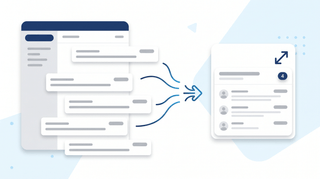
Turn on email threading (Conversation View) in new Outlook, the web, classic Windows, Mac, and mobile. How to group, sort, expand, and fix threads.

Mark every unread email as read in Gmail web, mobile, and the API — including the Select All trick most people miss, the search-then-bulk method for huge inboxes, and how to do it per label.

Step-by-step guide to snoozing emails in Gmail on every platform — default times, custom snoozing, swipe gestures, and why snoozed emails sometimes don't return on schedule.
Step-by-step instructions for filtering emails in Outlook — covering view filters, search operators, Search Folders, and how filters differ from rules across web, new Outlook, and classic Outlook.

Looking for a HEY email alternative? These 5 email tools rethink the inbox — from AI-native Gmail clients to autonomous email agents that take action.

Use color categories in Outlook to tag, organize, and filter your inbox. Covers create, assign, rename, search by category, and auto-categorize rules.
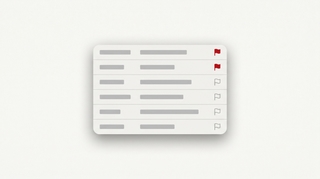
How to flag emails in Outlook for follow-up: set due dates, reminders, view flagged messages as tasks in Microsoft To Do, and clear flags.
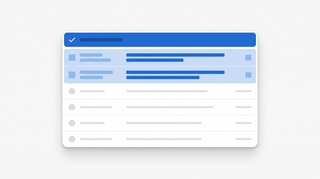
How to mark all emails as read in Outlook on web, new desktop, classic, Mac, and mobile, plus keyboard shortcuts and folder-level cleanup.

Mark emails unread in Outlook — right-click, keyboard shortcuts, bulk actions, reading-pane timing, and mobile gestures across every version.
Snooze emails in new Outlook, Outlook on the web, classic Outlook for Windows, mobile, and Mac — plus fixes when snooze is missing.
Enable, train, and disable Focused Inbox in new Outlook, Outlook on the web, classic Outlook for Windows, Outlook for Mac, and Outlook mobile.

Unsubscribe from marketing emails in Outlook using the built-in unsubscribe link, Sweep, Block Sender, and Rules — across every version of Outlook.

The best Superhuman alternatives for fast, AI-powered email. Speed-focused clients, AI triage, and inbox management tools — at every price point.

Step-by-step instructions to automatically forward emails in Outlook — covering web, new desktop, classic Outlook rules, and Exchange admin.
Step-by-step guide to archiving emails in Gmail on desktop and mobile. Learn where archived emails go, how to find them, how to unarchive, and the difference between archive and delete.
Step-by-step guide to blocking senders in Gmail on desktop and mobile, unblocking, reporting spam and phishing, muting threads, and blocking entire domains with filters.
Step-by-step guide to creating, editing, and managing Gmail filters to automatically label, archive, delete, or forward emails — plus common filter recipes for newsletters, notifications, and VIPs.

Gmail uses labels instead of folders — here's how to create labels that work like folders, organize emails into them, and set up auto-sorting with filters.
Step-by-step guide to creating, color-coding, and managing labels in Gmail on desktop and mobile. Organize your inbox with labels, sub-labels, and quick-apply shortcuts.
Archive emails in Outlook on the web, the new desktop app, classic Outlook, and mobile — plus how to find archived mail and set up auto-archive.
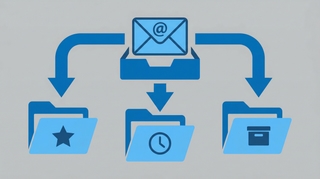
Step-by-step instructions for creating email rules in Outlook to automatically sort, move, flag, or forward messages — covering Outlook on the web, the new desktop app, and classic Outlook for Windows.

The best AI tools for managing your inbox — auto-triage, smart categorization, custom email agents, and tools that actually reduce email volume instead of just organizing it.