How to Add a Template to Notion (2026 Guide)
How to add a template to Notion, duplicate from the template gallery, create page button templates, set up database templates, and use the /template button.
116 posts
How to add a template to Notion, duplicate from the template gallery, create page button templates, set up database templates, and use the /template button.
How to archive Trello cards individually or in bulk, find archived cards, restore them, and automate archiving with Butler, across web, desktop, and mobile.
Step-by-step guide to archiving a Slack channel, who can do it, what happens to messages and files, and how to restore an archived channel.
Step-by-step instructions for archiving and restoring projects in Asana, including what archive does, archive vs delete vs CSV export, and who has permission.
Step-by-step methods for bulk editing in Salesforce Lightning, inline list view editing, Mass Update, Data Loader, and Flow. Includes when bulk edit is grayed out.
How to duplicate a Trello board, what gets copied (and what does not), how it differs from templates, and workarounds for copying members, comments, and archived cards.
How to create a database in Notion, inline vs. full-page, every view type (table, board, timeline, calendar, gallery, list), properties, and linked databases.
How to build, customize, and share forms in Airtable using Form view and Interface Designer, including conditional fields, prefilled URLs, embedding, and redirects.
Create polls in Slack with Polly, Simple Poll, the /poll command, emoji reactions, and Workflow Builder, comparison of methods for 2026.
How to create a private channel in Slack, naming rules, who can see it, converting public to private, inviting members, and member limits.
Step-by-step instructions for creating project templates, task templates, and project blueprints in Asana, including custom templates, the public gallery, and sharing.
How to duplicate a page in Notion, copy your own pages, duplicate from the template gallery, use Duplicate without content, and copy to another workspace.
How to embed in Notion, using the /embed slash command, supported services like Figma, Loom, YouTube, Google Drive, and how to embed any URL or file.
How to export Airtable data to Excel, including CSV download from a view, encoding fixes, attachment handling, scripting exports, and live sync to Excel.
How to export a Notion page, PDF, HTML, Markdown & CSV formats, single page vs. full workspace, include subpages, and what each plan supports.
How to export Trello boards to JSON, CSV, Excel, or Google Sheets, what each format includes, plan requirements, and Power-Up alternatives.
Export Slack messages with Standard Export, Corporate Export on Enterprise Grid, channel-level exports, and manual copy methods, JSON format and what is included.
How to import CSV data into Airtable using the CSV import extension, paste, or sync, including column mapping, type detection, updating records, and common errors.
How to link pages in Notion, @mentions, /link, inline links, synced blocks, automatic backlinks, and linked database views.
Step-by-step guide to linking tables in Airtable with linked record fields, plus lookups, rollups, junction tables for many-to-many relationships, and syncs.
Mute Slack channels, threads, DMs, and keywords without leaving, desktop and mobile steps, mute vs leave, and notification preferences.
How to organize Google Drive in 2026, folder colors, starring, shared drives vs My Drive, Drive labels, search operators, and Gemini AI suggestions.
How to pin messages in Slack channels and DMs, view pinned items, the 100-pin limit per channel, removing pins, and the difference between pinned and saved.
How to recover a deleted page in Notion, restore from Trash within 30 days, use page history, undo deleted blocks, and recover from admin restore.
Schedule Slack messages from the send button dropdown, edit or cancel scheduled messages, time zone handling, mobile support, and threading limits.
Step-by-step instructions for setting recurring tasks in Asana, including weekly, monthly, custom days, after completion vs. on date, and troubleshooting.
Set Slack status with preset emojis, custom messages, expiration timers, do not disturb mode, and Google Calendar sync, desktop, web, and mobile.
How to share a page in Notion, invite people, share to web, workspace and teamspace sharing, permission levels, guests vs. members, and link expiration.
How to upload entire folders to Google Drive, drag-and-drop, folder upload button, Drive for desktop sync, file size limits, and mobile workarounds.
We tested 10 AI secretary tools — Carly, Motion, Reclaim, Notion AI, Granola, ChatGPT, and more — for two weeks each. Here's what handles the real admin work and what's just a fancy text editor.
Mark every unread email as read in Gmail web, mobile, and the API — including the Select All trick most people miss, the search-then-bulk method for huge inboxes, and how to do it per label.
How to add tasks to Google Calendar — create from the grid, side panel, or unified mobile creator, set time and recurrence, and the difference between tasks, events, and the deprecated reminders.
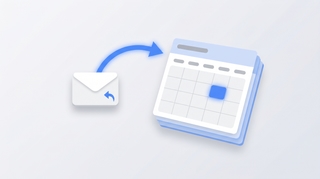
Three ways to create a Google Calendar event directly from a Gmail email — the three-dot Create event menu, Gemini's Add to calendar chip, the Calendar side panel, and mobile shortcuts.
How to mass delete thousands of emails in Gmail using search operators, the Select all conversations link, and bulk filters — plus mobile workarounds and the storage gotchas.
Step-by-step guide to setting up email forwarding in Gmail — auto-forward all incoming mail, conditional forwarding via filters, multiple addresses, and what to do if your Workspace admin disabled it.
Step-by-step guide to snoozing emails in Gmail on every platform — default times, custom snoozing, swipe gestures, and why snoozed emails sometimes don't return on schedule.
How to unsubscribe from emails in Gmail using the new Manage subscriptions view, the one-click unsubscribe link, bulk methods, and what to do when unsubscribe links don't work.
Step-by-step instructions for adding a logo or image to your Outlook signature — covering the new desktop app, classic Outlook for Windows, Outlook on the web, and mobile. Plus sizing tips, hyperlinking, and fixes for the red X.
Cancel single meetings, recurring series, or just one occurrence in Outlook — plus the difference between Cancel and Delete, what attendees see, and how to recover an accidentally cancelled meeting.
A complete guide to clearing your Outlook inbox — the built-in Clean Up tool, Sweep rules, archiving, search folders, bulk delete, and a 30-minute inbox reset walkthrough.
Step-by-step instructions for turning on dark mode in Outlook — covering the new desktop app, classic Outlook for Windows, Outlook on the web, Outlook for Mac, and mobile. Plus the message-rendering toggle and calendar dark mode.
Step-by-step instructions for filtering emails in Outlook — covering view filters, search operators, Search Folders, and how filters differ from rules across web, new Outlook, and classic Outlook.
Forward meeting invites as an attendee or organizer across new Outlook, classic Outlook, and the web — with notes on the Allow Forwarding toggle and what recipients actually receive.
Step-by-step instructions for overlaying calendars in Outlook — covering side-by-side vs overlay mode, color coding, and limitations across classic Outlook, new Outlook, the web, and mobile.
Step-by-step instructions for pinning emails to the top of your inbox in Outlook — covering the new desktop app, Outlook on the web, mobile apps, and workarounds for classic Outlook.
Print your Outlook calendar in daily, weekly, monthly, or tri-fold views — covering classic Outlook, new Outlook, the web, custom date ranges, and saving as PDF.
Print single emails, batches of messages, full folders, or save as PDF — across new Outlook, classic Outlook, and the web. Plus fixes for the most common print issues.
Step-by-step instructions for saving single, multiple, and bulk email attachments in Outlook — covering the new desktop app, classic Outlook for Windows, Outlook on the web, and mobile.
Step-by-step instructions for enabling and using Undo Send in Outlook on the web, the new Outlook desktop app, and the workarounds for classic Outlook for Windows.
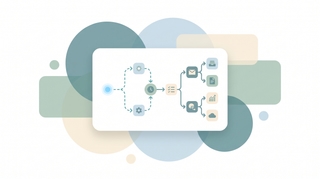
A playbook for automating work with AI agents: what they do, which workflows to automate first, how to wire them into your apps, and how to keep them safe.
A 5-step framework for integrating AI into your daily work: pick the right tools, automate real workflows, connect to your apps, and roll out smoothly.
Mark emails unread in Outlook — right-click, keyboard shortcuts, bulk actions, reading-pane timing, and mobile gestures across every version.
Snooze emails in new Outlook, Outlook on the web, classic Outlook for Windows, mobile, and Mac — plus fixes when snooze is missing.
Enable, train, and disable Focused Inbox in new Outlook, Outlook on the web, classic Outlook for Windows, Outlook for Mac, and Outlook mobile.
Unsubscribe from marketing emails in Outlook using the built-in unsubscribe link, Sweep, Block Sender, and Rules — across every version of Outlook.
Turn an email into an Outlook calendar event with drag-and-drop, right-click, or the Schedule action — covering new Outlook, classic, web, and mobile.
Step-by-step guide to using @mentions in Outlook email and meeting invites — get attention, auto-add recipients, and filter your inbox by mentions.
Step-by-step guide to creating, editing, and using Quick Steps in Outlook to automate multi-step email actions with one click — covering classic, new Outlook, and web alternatives.
Step-by-step instructions for creating polls in Outlook using Microsoft Forms and voting buttons — every version including web, desktop, and mobile.
Step-by-step instructions for creating tasks in Outlook — My Day, To Do integration, flagging emails, assigning tasks, and every Outlook version.
Step-by-step instructions to delay email delivery in Outlook — hold messages in your Outbox before they send using delay delivery rules and per-message settings.
Step-by-step instructions for exporting emails from Outlook — PST export, saving as .eml or .msg, Microsoft 365 admin tools, and backup strategies.
Step-by-step instructions to automatically forward emails in Outlook — covering web, new desktop, classic Outlook rules, and Exchange admin.
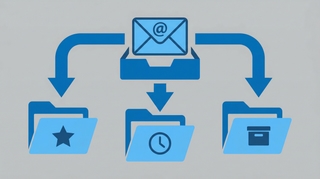
Step-by-step guide to archiving emails in Gmail on desktop and mobile. Learn where archived emails go, how to find them, how to unarchive, and the difference between archive and delete.
Step-by-step guide to enabling, creating, inserting, updating, and deleting email templates in Gmail — plus how to combine templates with filters for auto-replies.
Step-by-step guide to creating, editing, and managing Gmail filters to automatically label, archive, delete, or forward emails — plus common filter recipes for newsletters, notifications, and VIPs.
Step-by-step guide to creating, color-coding, and managing labels in Gmail on desktop and mobile. Organize your inbox with labels, sub-labels, and quick-apply shortcuts.
Step-by-step instructions for archiving emails in Outlook — covering Outlook on the web, the new desktop app, classic Outlook for Windows, and Outlook mobile, plus how to find archived emails and set up auto-archive.
Step-by-step instructions for creating, saving, and using email templates in Outlook — covering Outlook on the web, the new desktop app, classic Outlook for Windows, and My Templates.
Step-by-step instructions for creating folders in Outlook to organize your inbox — covering Outlook on the web, the new desktop app, classic Outlook for Windows, and Outlook mobile.
Step-by-step instructions for creating email rules in Outlook to automatically sort, move, flag, or forward messages — covering Outlook on the web, the new desktop app, and classic Outlook for Windows.
OpenClaw has 512 security vulnerabilities, plaintext credentials, and $300+/month API bills. Carly does the same things — securely, for $35/month flat.
Step-by-step instructions to schedule emails for later delivery in Outlook on the web, the new Outlook desktop app, classic Outlook for Windows, and Outlook mobile.
How to use categories, conditional formatting, and calendar colors in Outlook to build a visual scheduling system that makes your week readable at a glance.
Step-by-step guide to connecting Google Calendar with Slack for auto-status updates, meeting reminders, availability sharing, and more.
Every Google Calendar keyboard shortcut for navigation, creating events, switching views, and managing your schedule — including how to enable shortcuts first.
Display multiple time zones in Google Calendar — including a world clock sidebar, secondary time zones, and tips for scheduling across time zones without confusion.
A complete guide to color coding Google Calendar — apply colors to individual events, entire calendars, and build a visual system that makes your week readable at a glance.
Step-by-step guide to creating calendar invites in Google Calendar on desktop and mobile — adding guests, setting reminders, attaching video links, and managing RSVPs.
Set working hours in Google Calendar to show your availability, automatically decline outside-hours invites, and help colleagues schedule meetings at the right time.
The best Motion alternatives for AI task scheduling — lighter-weight tools, focused calendar assistants, and full AI schedulers with honest pricing comparisons.
For dozens of professions, the calendar isn't just a scheduling tool. It's the single most accurate record of what's actually happening in the business.
Learn how to add holidays from any country to Google Calendar, manage multiple holiday calendars, and customize which holidays appear on your schedule.
Learn how to use time blocking in Google Calendar to protect focus time, manage your schedule, and boost productivity with step-by-step instructions.
Learn how to organize, color-code, and manage multiple Google Calendars effectively. Covers creating calendars, toggling visibility, and cross-account management.
Learn how to create, edit, and manage recurring meetings in Google Calendar. Covers custom repeat patterns, exceptions, and best practices.
Learn how to create and manage a shared team calendar in Google Calendar. Covers setup, permissions, best practices, and tools for team coordination.
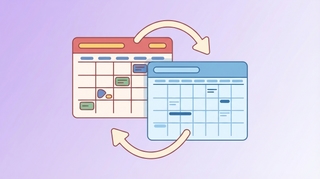
ICS subscription, connected accounts, CalendarBridge — the real options for syncing Google Calendar and Outlook, with honest notes on what each one can and can't do.
Get an evening email previewing your next day's schedule. Learn how to turn on Carly's daily briefing from your dashboard.
See your calendar, check availability, and add Carly to emails — all without leaving Gmail. Here's how to set up and use Carly's Chrome extension.
Step-by-step instructions for exporting your contacts as CSV or Excel files from Salesforce, HubSpot, Zoho, Pipedrive, Attio, Monday.com, Freshsales, Oracle, Copper, and Close.
Skills are simple instructions that teach AI assistants how to handle your specific tasks — your way. No coding required. Here's what they are, why they matter, and how people are using them.
Carly now has a built-in CRM — AI-powered, works alongside your existing tools, and keeps your contacts updated without the busywork. Here's why we built it.
Carly can now keep a running to-do list for you — add tasks by email, block out time to get them done, and manage everything from your dashboard.
Compare Carly AI vs Clockwise for calendar management. Carly handles external scheduling via email and SMS, while Clockwise optimizes internal team calendars.
Compare Carly AI vs Morgen for calendar management. Carly offers conversational scheduling via email and SMS, while Morgen focuses on calendar consolidation and time-blocking.
Compare Carly AI vs Reclaim.ai for scheduling. Carly offers human-like conversational scheduling via email and SMS, while Reclaim focuses on calendar optimization and task auto-scheduling.
Compare Carly AI vs Sunsama for productivity. Carly automates scheduling conversations while Sunsama focuses on mindful manual daily planning.
Compare Carly AI vs Trevor AI for scheduling. Carly handles external scheduling via email and SMS, while Trevor focuses on personal task time-blocking.
If your business revenue has stalled, the answer might be in your calendar. Learn how to audit your time and identify the patterns killing your growth.
Discover 100 proven productivity hacks for busy professionals. From time-blocking to AI automation, reclaim hours every week. Get more done today.
Compare Carly AI vs CalendarBridge for AI scheduling. Carly offers click-to-book, SMS integration, and unlimited calendars without pay-per-email pricing.
Compare Carly AI vs Calendly for scheduling. Carly offers AI-powered scheduling with click-to-book, SMS, and email thread awareness - no booking links required.
Compare Carly AI vs Motion for scheduling. Carly offers click-to-book, SMS integration, and faster setup without the complexity of task management.
Compare Carly AI vs Agenda Hero for scheduling. Carly offers conversational AI scheduling via SMS and email, while Agenda Hero focuses on converting content to calendar events.
Compare Carly AI vs BlockIt for AI scheduling. Carly offers transparent pricing, SMS integration, and faster setup without complex permissions.
Compare Carly AI vs Skej for AI scheduling. Carly offers SMS integration and flat pricing, while Skej locks key features behind enterprise tiers.
Compare Carly AI vs Tasker AI for scheduling. Carly is a dedicated scheduling assistant, while Tasker AI is a general-purpose automation platform.
The ultimate meeting guide for 2026. Learn how to run productive meetings, create effective agendas, and eliminate scheduling overhead. Save hours weekly.
Each interruption costs 23 minutes to recover. Time blocking protects your focus. Step-by-step guide with 5 methods, examples, and AI tips to make it stick.
Tired of endless email chains to schedule meetings? Learn 7 proven methods to eliminate back-and-forth and book meetings faster. AI solutions included.
Discover your calendar personality with Carly AI Wrapped—free for all users. See exactly where your time goes with fun, shareable insights about your meetings, habits, and scheduling patterns.
Learn how to share your Google Calendar step-by-step. This guide covers desktop, mobile, embedding, permissions, delegation, and troubleshooting.
Learn how to share your Outlook calendar across web, desktop, and mobile platforms, including links, ICS subscriptions, delegate access, and permission levels.
Discover all the powerful features that make Carly more than a calendar assistant—from unlimited scheduling to building your own custom AI agents for sales, intake, and more.
Learn time management strategies from CEOs, founders, creatives, athletes, and academics with practical tactics you can implement immediately