
How to Schedule a Meeting in Outlook (Step by Step)
Schedule a meeting in Outlook from new Outlook, classic desktop, the web, or mobile — add attendees, make it a Teams meeting, set recurrence, and use Scheduling Assistant to find free times.
117 posts
Schedule a meeting in Outlook from new Outlook, classic desktop, the web, or mobile — add attendees, make it a Teams meeting, set recurrence, and use Scheduling Assistant to find free times.

Schedule a meeting for your manager or executive in Outlook and Teams — set up delegate access, create the event on their calendar so it's sent 'on behalf of' them, and route responses correctly.

Outlook.com free accounts send to ~300 recipients/day; Microsoft 365 / Exchange Online allows 10,000 recipients/day and 500 per message. How the caps work and how to stay under them.

Outlook.com free mailboxes hold 15 GB; Microsoft 365 gives 100 GB; Exchange Online business plans are 50-100 GB. Full storage limits and how to free up space.

Exchange Online allows 10,000 recipients/day and 500 (up to 1,000) per message. Outlook.com subscribers get 5,000/day. How the limits work.

How to block focus time in Outlook — create busy or out-of-office appointments, set recurring focus blocks, and use automatic focus time with Viva Insights.

Change the name recipients see on your sent Outlook email — the account display name, Microsoft account name, and per-account settings, every version.

How to change the display language in Outlook on the web, new Outlook, and classic Outlook — plus region, date format, and spell-check settings.

How to change your Outlook calendar time zone on the web, new Outlook, and classic Outlook — plus updating it when you travel and showing a second zone.

How to create a shared group or team calendar in Outlook — use a Microsoft 365 Group or shared calendar, add members, and view it on web and desktop.

How to export your Outlook calendar to an .ics or .csv file — covering Outlook on the web, new Outlook, and classic Outlook, plus date ranges and sharing.

Find and sort the biggest messages in Outlook to free up mailbox space — using size sort, message size search, and built-in cleanup tools, every version.
How to import an .ics, .ical, or .csv file into Outlook and subscribe to a calendar URL — on Outlook on the web, new Outlook, and classic Outlook.

Set High or Low importance on outgoing mail, mark incoming messages as important, and see how priority differs from flagging — every Outlook version.

How to open a calendar someone shared with you in Outlook — accept a sharing invite and add a calendar from the directory or address book.
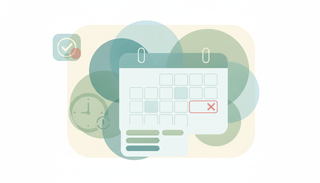
How to keep declined meetings visible on your Outlook calendar — turn on Show declined events in new Outlook, web, and mobile, and why classic hides them.

Sort your Outlook inbox by date, sender, size, subject, importance, or unread — with ascending/descending order, across web, new, and classic Outlook.

Add senders to your Outlook Safe Senders list so their mail never goes to Junk — individual addresses, whole domains, and Never Block, every version.

Add a contact in Outlook from scratch or straight from an email, edit details, and save to People — in new Outlook, classic Outlook, the web, and mobile.

Add a hyperlink in an Outlook email, turn text into a clickable link, link an image, or edit and remove a link — in new Outlook, classic, and on the web.

Attach an email to another email in Outlook by dragging it or using Attach Item, and forward as an attachment — new Outlook, classic, web, and mobile.

Move the Outlook reading pane to the right, bottom, or off, and adjust preview and mark-as-read behavior — in new Outlook, classic Outlook, web, and mobile.

Create a Search Folder in Outlook to auto-collect unread, flagged, or large emails, or build a custom one — plus what to use in new Outlook and on the web.

Decline a meeting in Outlook, add a note, decline without sending a response, or decline a whole recurring series — in new Outlook, classic, and on the web.

Empty the Deleted Items folder in Outlook, clear it on exit automatically, and recover emails before they're gone — new Outlook, classic, web, and mobile.

Find archived emails in Outlook by opening the Archive folder, searching all folders, or locating a .pst file — in new Outlook, classic, web, and mobile.

Insert a table in an Outlook email, set rows and columns, paste one from Excel, and format it — in new Outlook, classic Outlook, and on the web.

Propose a new time for a meeting in Outlook, check the organizer's free/busy, and respond to a proposed time — in new Outlook, classic Outlook, and on the web.

Turn on week numbers in the Outlook calendar and set which week the year starts on — in new Outlook, classic Outlook, Outlook on the web, and mobile.

Stop real emails landing in Junk in Outlook by marking Not Junk, adding safe senders, and lowering the filter level — new Outlook, classic, web, and mobile.

Sync Outlook email, calendar, and contacts with Android using the Outlook app or the built-in Gmail/Calendar apps, and fix sync that stops working.

Turn off Outlook email and calendar notifications, mute desktop and banner alerts, and silence mobile push — in new Outlook, classic Outlook, web, and mobile.

Three ways to create Asana tasks from email — forward to x@mail.asana.com, use the Gmail or Outlook add-in, or automate it so every request becomes a task.

Outlook.com caps attachments at 34 MB; desktop Outlook defaults to 20 MB, Microsoft 365 up to ~150 MB. How the limits work and how to send bigger files.

Outlook organizes with folders and a built-in calendar; Gmail leans on labels, tabs, and search. Here's how they compare and which to pick in 2026.

From the built-in To Do and Planner to Todoist, Asana, and an assistant that actually does the tasks — here's what genuinely works with Outlook and Microsoft 365, and what just bolts on.

Outlook has no native travel-time feature like Apple or Google Calendar. Here's how to block travel time before and after events — manual buffers, color categories, recurring commute blocks, Bookings buffer time, and automation.
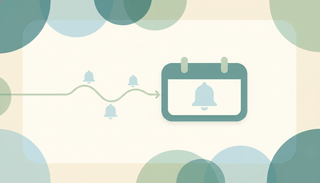
Outlook only allows one reminder per calendar event. Here's how to get multiple staggered notifications — second events, a Power Automate flow, linked To Do tasks, and automation that nudges you at every interval you want.

Inbox Zero isn't about an empty inbox — it's a processing system. Here's the 4-D method adapted to Outlook's tools: Focused Inbox, a two-folder setup, Sweep and Rules, and a daily routine that keeps it at zero.

Walk into every meeting prepared. Here's how to auto-generate pre-meeting briefings in Outlook — Copilot meeting prep, a OneNote briefing template, pulling attendee context from past threads, and an assistant that builds the brief for you.

Set an out-of-office message and auto-reply in Microsoft Teams, schedule the dates, and sync it with Outlook so your status shows you're away.
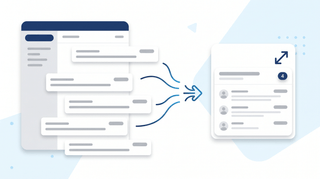
Turn on email threading (Conversation View) in new Outlook, the web, classic Windows, Mac, and mobile. How to group, sort, expand, and fix threads.

Step-by-step instructions for adding Gmail, Outlook.com, Yahoo, iCloud, IMAP/POP, and Exchange/Microsoft 365 accounts to Outlook — with fixes for the most common setup errors.
Step-by-step instructions for adding a logo or image to your Outlook signature — covering the new desktop app, classic Outlook for Windows, Outlook on the web, and mobile. Plus sizing tips, hyperlinking, and fixes for the red X.
Cancel single meetings, recurring series, or just one occurrence in Outlook — plus the difference between Cancel and Delete, what attendees see, and how to recover an accidentally cancelled meeting.

A complete guide to clearing your Outlook inbox — the built-in Clean Up tool, Sweep rules, archiving, search folders, bulk delete, and a 30-minute inbox reset walkthrough.
Step-by-step instructions for turning on dark mode in Outlook — covering the new desktop app, classic Outlook for Windows, Outlook on the web, Outlook for Mac, and mobile. Plus the message-rendering toggle and calendar dark mode.
A complete guide to email encryption in Outlook — Microsoft 365 Message Encryption, S/MIME, what recipients see, license requirements, and how to fix a missing Encrypt button.
Step-by-step instructions for filtering emails in Outlook — covering view filters, search operators, Search Folders, and how filters differ from rules across web, new Outlook, and classic Outlook.

Forward meeting invites as an attendee or organizer across new Outlook, classic Outlook, and the web — with notes on the Allow Forwarding toggle and what recipients actually receive.

Step-by-step instructions for overlaying calendars in Outlook — covering side-by-side vs overlay mode, color coding, and limitations across classic Outlook, new Outlook, the web, and mobile.
Step-by-step instructions for pinning emails to the top of your inbox in Outlook — covering the new desktop app, Outlook on the web, mobile apps, and workarounds for classic Outlook.
Print your Outlook calendar in daily, weekly, monthly, or tri-fold views — covering classic Outlook, new Outlook, the web, custom date ranges, and saving as PDF.

Print single emails, batches of messages, full folders, or save as PDF — across new Outlook, classic Outlook, and the web. Plus fixes for the most common print issues.

Step-by-step instructions for saving single, multiple, and bulk email attachments in Outlook — covering the new desktop app, classic Outlook for Windows, Outlook on the web, and mobile.

Set up Outlook on iPhone using the official Outlook app or native iOS Mail, Calendar, and Contacts — plus fixes for missing calendars, contact sync, and email delays.

Step-by-step instructions for enabling and using Undo Send in Outlook on the web, the new Outlook desktop app, and the workarounds for classic Outlook for Windows.

Use color categories in Outlook to tag, organize, and filter your inbox. Covers create, assign, rename, search by category, and auto-categorize rules.
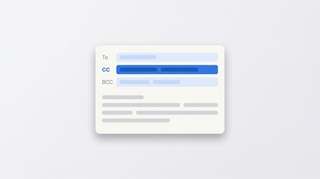
How to CC in Outlook on web, new desktop, classic, Mac, and mobile. Show the CC field, set up always-CC, and learn the difference between CC and BCC.
Create a Teams, Zoom, or Google Meet link in Outlook (or a calendar invite without one) across web, new desktop, classic Outlook, Mac, and mobile.
How to flag emails in Outlook for follow-up: set due dates, reminders, view flagged messages as tasks in Microsoft To Do, and clear flags.
How to mark all emails as read in Outlook on web, new desktop, classic, Mac, and mobile, plus keyboard shortcuts and folder-level cleanup.

How to mass delete emails in Outlook by sender, date, search, or folder, plus Sweep, rules, and keyboard shortcuts to clear thousands at once.

How to resend an email in Outlook in classic, new Outlook, on the web, and Mac, plus the difference between resend, forward, and recall.
Step-by-step PST export in classic and new Outlook, OLM on Mac, and admin-level Purview Content Search for Microsoft 365 mailboxes.
Schedule Microsoft Teams meetings from Outlook on desktop, web, classic Windows, mobile, and Mac — plus fixes when the Teams button is missing.

Mark emails unread in Outlook — right-click, keyboard shortcuts, bulk actions, reading-pane timing, and mobile gestures across every version.

Report phishing and suspicious emails in new Outlook, Outlook on the web, classic Outlook for Windows, Outlook for Mac, and Outlook mobile.

Request read and delivery receipts in classic Outlook, new Outlook, Outlook on the web, and Outlook for Mac — plus why receipts often fail.
Save Outlook emails as PDF on new Outlook, the web, classic Windows, Mac, and mobile — plus how to batch emails and keep attachments.
Snooze emails in new Outlook, Outlook on the web, classic Outlook for Windows, mobile, and Mac — plus fixes when snooze is missing.
Enable, train, and disable Focused Inbox in new Outlook, Outlook on the web, classic Outlook for Windows, Outlook for Mac, and Outlook mobile.

Unsubscribe from marketing emails in Outlook using the built-in unsubscribe link, Sweep, Block Sender, and Rules — across every version of Outlook.
Use Outlook Scheduling Assistant to find free time, add attendees, AutoPick a slot, and book rooms across new Outlook, web, classic, and Mac.

Step-by-step instructions for installing and using the Zoom for Outlook add-in to schedule Zoom meetings directly from Outlook calendar — covering classic, new Outlook, web, and mobile.

Turn an email into an Outlook calendar event with drag-and-drop, right-click, or the Schedule action — covering new Outlook, classic, web, and mobile.

Step-by-step guide to creating a meeting poll in Outlook using Scheduling Poll (formerly FindTime) — find a time everyone can meet without the back-and-forth.

Step-by-step guide to delegating Outlook calendar access — let an assistant or colleague view, edit, or respond to meetings on your behalf, with the right permission level.

Step-by-step troubleshooting guide for fixing Outlook search when it returns no results, partial results, or errors — covering classic, new Outlook, web, and mobile.

Two-stage guide to recovering deleted emails from Outlook — from the Deleted Items folder and from the Recoverable Items server folder, in classic, new, web, and mobile.

Step-by-step instructions for sharing free time slots from your Outlook calendar in an email — no add-in, no link, just clean availability blocks recipients can click.

Step-by-step instructions for sending email to a contact group, distribution list, or Microsoft 365 group in Outlook — covering classic, new Outlook, web, and mobile.

Step-by-step guide to using @mentions in Outlook email and meeting invites — get attention, auto-add recipients, and filter your inbox by mentions.

Step-by-step guide to creating, editing, and using Quick Steps in Outlook to automate multi-step email actions with one click — covering classic, new Outlook, and web alternatives.

Step-by-step guide to adding public holidays to Outlook Calendar — every version including web, desktop, classic, and mobile, plus custom ICS calendars.
Step-by-step guide to creating calendar events in Outlook — web, desktop, classic, and mobile, plus meeting invites, all-day events, and shortcuts.

Step-by-step instructions for creating polls in Outlook using Microsoft Forms and voting buttons — every version including web, desktop, and mobile.

Step-by-step guide to creating a shared mailbox in Microsoft 365 — admin center setup, adding to Outlook desktop and web, and managing permissions.

Step-by-step instructions for creating tasks in Outlook — My Day, To Do integration, flagging emails, assigning tasks, and every Outlook version.

Step-by-step instructions to delay email delivery in Outlook — hold messages in your Outbox before they send using delay delivery rules and per-message settings.
Step-by-step instructions for exporting emails from Outlook — PST export, saving as .eml or .msg, Microsoft 365 admin tools, and backup strategies.
Step-by-step instructions for importing contacts into Outlook — CSV files, vCard imports, Gmail migration, and troubleshooting field mapping issues.

Step-by-step instructions for changing the default font in Outlook — web, new desktop, classic Windows, and Mac, plus cross-client font rendering.

Step-by-step instructions to automatically forward emails in Outlook — covering web, new desktop, classic Outlook rules, and Exchange admin.
Archive emails in Outlook on the web, the new desktop app, classic Outlook, and mobile — plus how to find archived mail and set up auto-archive.

Step-by-step instructions for using BCC in Outlook — how to show the BCC field, always BCC yourself, and use BCC in Outlook on the web, desktop, and mobile.
Block emails and senders in Outlook on the web, the new desktop app, classic Outlook, and mobile — plus how to unblock and manage your blocked senders list.
Step-by-step instructions for creating distribution lists (contact groups) in Outlook — covering Outlook on the web, the new desktop app, classic Outlook for Windows, and how to manage and edit your lists.
Step-by-step instructions for creating, saving, and using email templates in Outlook — covering Outlook on the web, the new desktop app, classic Outlook for Windows, and My Templates.

Create folders in Outlook to organize your inbox — on Outlook on the web, the new desktop app, classic Outlook for Windows, and mobile.
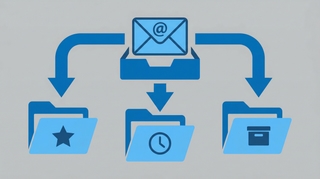
Step-by-step instructions for creating email rules in Outlook to automatically sort, move, flag, or forward messages — covering Outlook on the web, the new desktop app, and classic Outlook for Windows.

Step-by-step instructions for recalling or unsending an email in Outlook — covering classic Outlook for Windows, the new Outlook app, Outlook on the web, and what actually happens when you hit recall.

Step-by-step instructions for setting up out-of-office automatic replies in Outlook on the web, desktop (Windows and Mac), and mobile — including how to set date ranges, customize messages for internal vs. external contacts, and turn it off.

Add shared calendars, subscribe to ICS feeds, import .ics files, connect Google Calendar, and more — step-by-step for every version of Outlook.

Step-by-step instructions for adding an email signature in Outlook on the web, desktop (Windows and Mac), and mobile — plus how to add images, hyperlinks, and set different signatures for new emails vs. replies.

Step-by-step instructions to schedule emails for later delivery in Outlook on the web, the new Outlook desktop app, classic Outlook for Windows, and Outlook mobile.

Show a second or third time zone in Outlook Calendar on web, Windows, and Mac — plus tips for labeling zones and scheduling across regions.

How to use categories, conditional formatting, and calendar colors in Outlook to build a visual scheduling system that makes your week readable at a glance.

Step-by-step guide to creating and managing recurring meetings in Outlook on the web and desktop, including recurrence patterns, edits, and common fixes.

Set working hours in Outlook to signal your availability, trigger outside-hours warnings for colleagues, and automatically reply when you're off the clock.
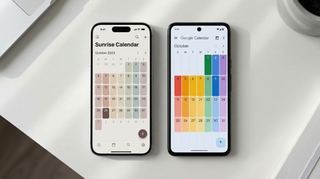
Three ways to view your Google Calendar inside Outlook — ICS subscription, CalDAV sync, and third-party tools. What each does, what it costs, and which to use.

How to find and publish your Outlook calendar's ICS link so others can subscribe to it. Covers Outlook on the web, desktop, and what the URL format looks like.
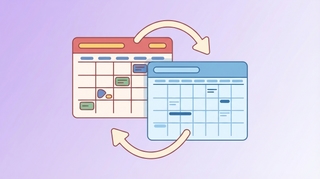
ICS subscription, connected accounts, and a free sync tool — the real options for syncing Google Calendar and Outlook.
Step-by-step guide to subscribing to any calendar URL or .ics feed in Outlook. Works for sunrise/sunset calendars, sports schedules, holidays, and more.
Copy-paste email templates for sending your availability, plus step-by-step instructions for Outlook, Gmail, and the tools that eliminate the back-and-forth entirely.
Step-by-step instructions for sharing your calendar on every major platform — Google Calendar, Outlook, and iPhone — plus a smarter way to share just your availability.
Learn how to share your Outlook calendar across web, desktop, and mobile platforms, including links, ICS subscriptions, delegate access, and permission levels.