
Dropbox Storage Limit: Free vs. Paid Plans (2026)
Dropbox gives 2 GB free, 2 TB on Plus, and 3 TB+ on team plans. Single files max out at 2 TB, with 375 GB the safe ceiling for web uploads.
514 posts
Dropbox gives 2 GB free, 2 TB on Plus, and 3 TB+ on team plans. Single files max out at 2 TB, with 375 GB the safe ceiling for web uploads.

Slack caps uploads at 1 GB per file on every plan. Here are the free-plan 90-day history limit, paid storage, clip length, and how to share bigger files.

Microsoft Teams caps each team at 1,000 channels (max 30 private), 25,000 members, and 100 owners. Here are the current channel, team, and member limits.

Get Google Calendar on your Windows desktop and taskbar — sync it to the Windows Calendar app, pin a Chrome or Edge shortcut, or use a desktop client.

How to add a Google Meet link to any calendar event, make Meet links appear automatically, or remove them — on the web, Android, and iPhone.

How to block focus time in Outlook — create busy or out-of-office appointments, set recurring focus blocks, and use automatic focus time with Viva Insights.

Change the name recipients see on your sent Outlook email — the account display name, Microsoft account name, and per-account settings, every version.

How to change the display language in Outlook on the web, new Outlook, and classic Outlook — plus region, date format, and spell-check settings.

How to change your primary time zone in Google Calendar, add a secondary zone, and set per-event time zones — on desktop web and the mobile apps.

How to change your Outlook calendar time zone on the web, new Outlook, and classic Outlook — plus updating it when you travel and showing a second zone.

How to create a shared group or team calendar in Outlook — use a Microsoft 365 Group or shared calendar, add members, and view it on web and desktop.
How to export your Outlook calendar to an .ics or .csv file — covering Outlook on the web, new Outlook, and classic Outlook, plus date ranges and sharing.

Find and sort the biggest messages in Outlook to free up mailbox space — using size sort, message size search, and built-in cleanup tools, every version.
How to import an .ics, .ical, or .csv file into Outlook and subscribe to a calendar URL — on Outlook on the web, new Outlook, and classic Outlook.
Set High or Low importance on outgoing mail, mark incoming messages as important, and see how priority differs from flagging — every Outlook version.
How to open a calendar someone shared with you in Outlook — accept a sharing invite and add a calendar from the directory or address book.

How to create a Google Calendar booking page so people can book time with you — set availability, customize the form, and see which plans add features.
How to keep declined meetings visible on your Outlook calendar — turn on Show declined events in new Outlook, web, and mobile, and why classic hides them.

How to enable ISO week numbers in Google Calendar on desktop web, where they appear in each view, and why the option is missing on mobile.

Sort your Outlook inbox by date, sender, size, subject, importance, or unread — with ascending/descending order, across web, new, and classic Outlook.

How to sync Google Calendar into Apple Calendar on iPhone, iPad, and Mac — add your account, choose which calendars show, and fix sync problems.

Stop Google Calendar from pinging you — disable or adjust event notifications, email reminders, and browser alerts on the web, Android, and iPhone or iPad.

Add senders to your Outlook Safe Senders list so their mail never goes to Junk — individual addresses, whole domains, and Never Block, every version.
Add clickable to-do checkboxes in Microsoft OneNote with the To Do tag, a keyboard shortcut, and find all your checkboxes in one place.

Add a contact in Outlook from scratch or straight from an email, edit details, and save to People — in new Outlook, classic Outlook, the web, and mobile.

Add a footer in PowerPoint with text, date, and slide number, skip the title slide, and edit it on the slide master — on Windows, Mac, and the web.

Add an animated GIF to PowerPoint, insert it from your PC or online, set it to loop, resize it, and make sure it animates in the show — Windows, Mac, web.

Add a hyperlink in an Outlook email, turn text into a clickable link, link an image, or edit and remove a link — in new Outlook, classic, and on the web.

Add a hyperlink in PowerPoint to a webpage, another slide, a file, or an email, edit or remove it, and set a ScreenTip — on Windows, Mac, and the web.

Animate text and objects in PowerPoint, set entrance and exit effects, reorder them in the Animation Pane, and trigger on click — Windows, Mac, and web.

Add audio to PowerPoint, record narration, set music to play across slides, loop it, and hide the icon during the show — on Windows, Mac, and the web.

Add slide numbers in PowerPoint, skip the title slide, start numbering at a chosen value, and reposition the number — on Windows, Mac, and the web.

Add speaker notes in PowerPoint, view them in the Notes pane and Notes Page, read them in Presenter View, and print them — on Windows, Mac, and web.

Add slide transitions in PowerPoint, set duration and direction, apply to all slides, and trigger them automatically — on Windows, Mac, and the web.

Attach an email to another email in Outlook by dragging it or using Attach Item, and forward as an attachment — new Outlook, classic, web, and mobile.

Change slide size in PowerPoint between 16:9 and 4:3, set a custom dimension, and choose Maximize or Ensure Fit when scaling — on Windows, Mac, and web.

Change the default font, size, and color for new notes in Microsoft OneNote on Windows, and set font defaults on Mac and the web.

Move the Outlook reading pane to the right, bottom, or off, and adjust preview and mark-as-read behavior — in new Outlook, classic Outlook, web, and mobile.

Compress images in PowerPoint to shrink the file size, choose a resolution, delete cropped areas, and compress all pictures at once — Windows and Mac.

Convert a PowerPoint to video (MP4), keep narration and timings, choose a resolution, and export from Windows or Mac for sharing anywhere.

Create a Search Folder in Outlook to auto-collect unread, flagged, or large emails, or build a custom one — plus what to use in new Outlook and on the web.

Crop an image in PowerPoint, crop to a shape or aspect ratio, fill or fit a placeholder, and reset the crop — on Windows, Mac, and the web.

Curve text in PowerPoint with WordArt and Transform effects, bend text into a circle or arc, and adjust the curve — on Windows, Mac, and the web.

Decline a meeting in Outlook, add a note, decline without sending a response, or decline a whole recurring series — in new Outlook, classic, and on the web.

Embed a video file or online video in PowerPoint, set it to play automatically, trim it, and add a poster frame — on Windows, Mac, and the web.

Embed fonts in PowerPoint so your slides keep their design on any computer, choose to embed all or used characters only, and manage file size — Windows and Mac.

Empty the Deleted Items folder in Outlook, clear it on exit automatically, and recover emails before they're gone — new Outlook, classic, web, and mobile.

Export a OneNote page, section, or whole notebook to PDF on Windows, Mac, web, and mobile — plus how to keep links and page breaks clean.

Find archived emails in Outlook by opening the Archive folder, searching all folders, or locating a .pst file — in new Outlook, classic, web, and mobile.

Group objects in PowerPoint to move and resize them together, ungroup to edit, regroup, and align before grouping — on Windows, Mac, and the web.

Insert a PDF into Microsoft OneNote as a printout you can annotate, or as a file attachment — on Windows, Mac, and the web.

Insert a table in Microsoft OneNote, add and delete rows or columns, shade cells, and convert a table to Excel — on Windows, Mac, and the web.

Insert a table in an Outlook email, set rows and columns, paste one from Excel, and format it — in new Outlook, classic Outlook, and on the web.

Insert a table in PowerPoint, set rows and columns, style it, add or delete rows, and paste a table from Excel — on Windows, Mac, and the web.

Create links between pages in Microsoft OneNote, copy a link to a page or paragraph, and use wiki-style [[ ]] links to connect your notes.

Loop a PowerPoint continuously for a kiosk or display, set automatic slide timings, and run it unattended — on Windows, Mac, and the web.

Make a timeline in PowerPoint using SmartArt or shapes, add milestones and dates, style it, and animate each step — on Windows, Mac, and the web.

Lock a OneNote section with a password to encrypt your notes, set how soon it auto-locks, and remove protection — on Windows, Mac, and mobile.

Propose a new time for a meeting in Outlook, check the organizer's free/busy, and respond to a proposed time — in new Outlook, classic Outlook, and on the web.

Record a PowerPoint presentation with narration, slide timings, and webcam video, then export it as a movie — on Windows, Mac, and the web.

Record audio notes in Microsoft OneNote, link the recording to your typed notes, and play back exactly what was said as you wrote each line.

Recover deleted pages and sections in Microsoft OneNote from the notebook recycle bin, restore page versions, and find lost notes.

Share a Microsoft OneNote notebook with view or edit access, get a share link, and stop sharing — on Windows, Mac, web, and mobile.

Turn on week numbers in the Outlook calendar and set which week the year starts on — in new Outlook, classic Outlook, Outlook on the web, and mobile.

Stop real emails landing in Junk in Outlook by marking Not Junk, adding safe senders, and lowering the filter level — new Outlook, classic, web, and mobile.

Force a manual sync in Microsoft OneNote, check sync status, fix stuck or failed syncs, and keep notebooks current across Windows, Mac, and mobile.

Sync Outlook email, calendar, and contacts with Android using the Outlook app or the built-in Gmail/Calendar apps, and fix sync that stops working.

Turn off Outlook email and calendar notifications, mute desktop and banner alerts, and silence mobile push — in new Outlook, classic Outlook, web, and mobile.

Enable dark mode in Microsoft OneNote on Windows, Mac, web, and mobile — and keep your note pages light while the app stays dark.

Use the Morph transition in PowerPoint to animate objects between slides, duplicate and reposition elements, and morph text and shapes — Windows, Mac, web.

Use Presenter View in PowerPoint to see notes, the next slide, and a timer while your audience sees only the slides — on Windows, Mac, and the web.

Apply built-in page templates in Microsoft OneNote, save your own as a custom template, and set a default template for new pages.

Tag notes in Microsoft OneNote with To Do, Important, and Question marks, create custom tags, and round them all up with Find Tags.

Automate Dropbox with built-in folder rules that sort, rename, convert, and tag files — plus how to auto-file email attachments without lifting a finger.

Set up Dropbox Backup to automatically protect your Desktop, Documents, and Downloads folders — and how backup differs from regular Dropbox sync.

Clear the Dropbox cache on Windows, Mac, and mobile to fix sync problems and reclaim disk space by deleting the hidden .dropbox.cache folder safely.

Organize Dropbox with a clean folder structure, naming conventions, starred files, and automated folder rules that sort new files for you.

Password protect Dropbox files and folders by adding a password to shared links, plus set expirations and disable downloads to control access.

How to create milestones in Asana, convert an existing task into a milestone, see them as diamonds on the Timeline, and use them to track key project dates.
How to build an intake form in Asana — map form fields to task fields, add branching logic, share the link, and route every submission into the right project.

How to build a Gantt chart in Asana using Timeline view — set start and due dates, link dependencies, drag to reschedule, and share a roadmap with your team.

How to mark tasks as waiting on or blocking others in Asana, see dependencies on Timeline, get notified when you're unblocked, and fix the most common issues.

How to track time in Asana — native time tracking with estimated and actual time on the Advanced plan, plus Harvest, Clockify, and Everhour options on any plan.
Three ways to create Asana tasks from email — forward to x@mail.asana.com, use the Gmail or Outlook add-in, or automate it so every request becomes a task.

How to use Asana's Board (Kanban) view — add columns, drag tasks between stages, set a default view, and customize cards for a clean visual workflow.

How to use Asana's Calendar view — see tasks by due date, drag to reschedule, color-code by field, view My Tasks on a calendar, and sync to Google or Outlook.

How to add and use custom fields in Asana — dropdowns, numbers, dates, and people fields for priority, status, and cost — plus sorting, filtering, and the field library.

How to add, assign, and organize subtasks in Asana — including nesting, multi-homing into projects, promoting a subtask to a task, and common gotchas.

Upload your own fonts to Canva with Brand Kit, use them in any design, and set brand fonts — plus what to do without Canva Pro.

Add a new title at your current company on LinkedIn without creating a duplicate job — and control whether your network gets notified.

Add a video to Canva — upload your own, use stock footage, trim and set timing, and add it as a page background.

Add music or a voiceover to your Canva design — upload your own track or use the audio library, then trim, fade, and adjust volume.

Add licenses and certifications to your LinkedIn profile, link the issuing organization and credential ID, and showcase them in Featured.

Get the Dropbox folder into Windows File Explorer (or Mac Finder) by installing the desktop app, plus how to fix a missing Dropbox sidebar entry.

Turn on the Featured section and pin posts, links, media, and documents to the top of your LinkedIn profile — on desktop and mobile.

Customize your LinkedIn public profile URL to a clean, professional handle in under a minute — on desktop and mobile.

Create a LinkedIn company page step by step — requirements, the setup flow, and how to optimize it so it actually gets followers.

Curve text into an arc or full circle in Canva with the Curve effect, control the curve amount, and fix common spacing issues.

Temporarily deactivate (hibernate) your LinkedIn account or permanently close it — what each option hides, and how to reactivate.

Delete files and folders from Dropbox on the web, desktop, and mobile — and permanently delete them to actually free up space.

Save your LinkedIn profile as a PDF resume in two clicks, or build a tailored one with the Resume Builder — plus how to fix formatting.

Export your Canva design as a PDF — Standard vs. Print, crop marks and bleed, flatten, and how to shrink a too-large PDF file.
Export your LinkedIn connections to a CSV — with names, companies, and the emails connections chose to share — via the data export tool.

Free up Dropbox storage by permanently deleting files, emptying old versions, and free up hard-drive space with online-only Smart Sync.

Group and ungroup elements in Canva to move, resize, and align them together — with keyboard shortcuts for Windows and Mac.

Make a photo collage in Canva using grids, frames, or a template — add photos, adjust spacing and corners, and download to share.

Add a free, customizable QR code to any Canva design — link it to a URL, change its colors, and download for print or screen.

Reach a recruiter on LinkedIn the right way — connection note, InMail, or Open Profile — plus a template that actually gets replies.

Add an outline to text in Canva — the simple split-pair method and the cleanest add-ons — to make titles pop on busy backgrounds.

Restore deleted files and folders in Dropbox, recover older versions, and understand the 30-day window (and longer on paid plans).

Remove an image background in Canva with one click using the Background Remover, refine the edges, and what to do on the free plan.

Find who viewed your LinkedIn profile, what free vs. Premium shows, and how to switch your own viewing mode to private or anonymous.

Unfollow a person, page, or hashtag on LinkedIn to clean up your feed — while staying connected. Also how to unfollow everyone at once.

Unlink a computer or device from your Dropbox account — from the app or the web security page — and what happens to your local files.

Give a LinkedIn recommendation that actually lands — where to find the option, what to write, and a simple structure with an example.

Airtable is a powerful relational database; Notion is a flexible workspace of docs, wikis, and lightweight databases. Here's which to pick in 2026.

Asana offers task and workflow clarity with strong timelines; monday.com is a colorful, customizable Work OS. Here's which to pick in 2026.

Asana is full project management with timelines and dependencies; Trello is a simple, lightweight Kanban board. Here's which to pick in 2026.

ClickUp is a cheaper everything-app with many views; Asana is clean and mature with polished workflows. Here's which to pick in 2026.

ClickUp is a project-management powerhouse with views and automations; Notion is a flexible docs-and-databases workspace. Here's which to pick in 2026.

Google Keep is free, instant sticky-note capture; Notion is a structured workspace with databases. Here's which note app to pick in 2026.

monday.com is visual and easy to set up; ClickUp is a feature-dense all-in-one. Here's which project management tool to pick in 2026.

Notion is a structured workspace with databases and wikis; Google Docs is simple, ubiquitous, real-time documents. Here's which to pick in 2026.

Notion is a cloud workspace with databases and collaboration; Obsidian is local-first markdown with a knowledge graph. Here's which to pick in 2026.

Spark is a free-tier, cross-platform smart inbox with team email; Superhuman is a premium, keyboard-first speed client. Which to pick in 2026.
Superhuman is a fast, keyboard-first paid email client; Gmail is free and great at search. Here's which to pick and when speed is worth it.

Things 3 is a calm, pay-once Apple-only task app; Todoist is cross-platform with powerful filters and collaboration. Here's which to pick in 2026.

Todoist is a fast, ready-made task manager; Notion is an all-in-one workspace where tasks live with docs and databases. Here's which to pick in 2026.

Trello is simple Kanban boards and cards; Notion is an all-in-one workspace of docs and databases. Here's which to pick in 2026.

Gmail sends attachments up to 25 MB and receives up to 50 MB; larger files go to Google Drive automatically. Here's how to send big files.

How many people can join a Google Meet — 100 on free accounts, up to 1,000 on Enterprise, and 100,000 view-only via livestream. Full breakdown by Workspace plan.

Google Meet runs in the browser and lives inside Google Workspace; Zoom is a standalone app with deeper meeting features. Here's when each one wins in 2026.

Google Tasks is free and baked into Gmail and Calendar; Todoist is a full-featured cross-platform task manager. Here's which one to use in 2026.

Make a reusable group in Gmail with Google Contacts labels, then email everyone by typing the label name. Plus Bcc for privacy and Google Groups.
Google has no one-click merge for two Gmail accounts. Five ways to consolidate instead — import old mail, forward, fetch by POP, move contacts, and Takeout.

Schedule a meeting in Microsoft Teams from the Calendar, Outlook, or a channel — add attendees, invite guests, make it recurring, or start an instant Meet now.

Share a file in Microsoft Teams — attach in a chat, upload to a channel, share a link with permission control, or co-edit in real time, on desktop and mobile.

Use Copilot in Microsoft Teams to summarize meetings, list action items, catch up on chats, and get a meeting recap — what you need and how to turn it on.

Use Microsoft Whiteboard in a Teams meeting — open it from the Share tray, draw, add sticky notes and templates, collaborate live, and find the board afterward.

Evernote excels at capturing and finding notes; Notion is an all-in-one workspace of blocks, databases, and wikis. Here's which note app to pick in 2026.

OneNote is a freeform digital notebook with handwriting; Notion is a structured workspace of blocks and databases. Here's which note app fits you in 2026.

Outlook.com caps attachments at 34 MB; desktop Outlook defaults to 20 MB, Microsoft 365 up to ~150 MB. How the limits work and how to send bigger files.

Outlook organizes with folders and a built-in calendar; Gmail leans on labels, tabs, and search. Here's how they compare and which to pick in 2026.

Slack is best-in-class chat with a huge app directory; Teams bundles chat, meetings, and files with Microsoft 365. Here's how they compare and which to pick.

How long a Microsoft Teams meeting can run and how many people can join — the 60-minute free cap, the 30-hour paid limit, and participant ceilings by license.

Teams is a full collaboration suite bundled with Microsoft 365; Zoom is a meeting-first tool with best-in-class video. Here's when to pick each in 2026.

TickTick bundles a calendar, habit tracker, and Pomodoro timer; Todoist stays clean with strong natural-language input. Here's which to-do app to pick.

How long a Zoom meeting can run on free and paid plans — the 40-minute cap on Basic accounts, the 30-hour paid limit, and how to get around it.

Accept all tracked changes in Microsoft Word at once, accept them one at a time, accept a single reviewer's edits, and stop tracking afterward.

Add citations and a bibliography in Microsoft Word with the built-in source manager, switch styles like APA and MLA, and insert a works-cited list.

Add a drop-down list to a Microsoft Word form with the Developer tab, set the choices, and protect the form so users can only pick options.

Insert an automatic table of contents in Microsoft Word from heading styles, update it as your document changes, and customize the levels.

Add a watermark in Microsoft Word — a built-in Confidential or Draft stamp, custom text, or a picture — apply it to one page, and remove it.

Split text into columns in Microsoft Word, apply columns to part of a document, add a line between them, and force a column break.

Add, reply to, resolve, and delete comments in Microsoft Word, and @mention collaborators — on Windows, Mac, and the web.

Add page numbers in Microsoft Word, skip the title page, start numbering on a later page, and restart at 1 — on Windows, Mac, and the web.

Format text as superscript or subscript in Microsoft Word using buttons, keyboard shortcuts, or the Font dialog — for exponents and footnote markers.
Outlook has no native travel-time feature like Apple or Google Calendar. Here's how to block travel time before and after events — manual buffers, color categories, recurring commute blocks, Bookings buffer time, and automation.

Compare two versions of a Microsoft Word document to see every difference as tracked changes, and combine edits from multiple reviewers.

Build a flowchart in Microsoft Word with SmartArt or shapes, connect boxes with arrows that stay attached, and align everything cleanly.

Insert a table in Microsoft Word, add and delete rows and columns, merge cells, apply a table style, and convert text to a table — on Windows, Mac, and the web.

Delete a page in Microsoft Word — a content page, a stubborn blank page at the end, or one caused by a page break — on Windows, Mac, and the web.

Create a hanging indent in Microsoft Word for bibliographies and works-cited lists — using the Paragraph dialog, the ruler, or a shortcut.

Run a mail merge in Microsoft Word to create personalized letters, emails, envelopes, and labels from an Excel list — step by step.

Double space text in Microsoft Word for the whole document or a selection, remove extra space between paragraphs, and set it as your default.

Insert a check mark (✓) in Microsoft Word using the Symbol menu, the Wingdings font, a character code, or an AutoCorrect shortcut.

Add checkboxes in Microsoft Word two ways — a clickable Developer-tab control for digital forms, and a checkbox bullet for printed lists.

Insert footnotes and endnotes in Microsoft Word, jump between them, change the number format, convert footnotes to endnotes, and delete them.

Add a signature in Microsoft Word — a scanned handwritten image, a reusable signature block, or a digital signature line — on Windows, Mac, and the web.

Insert a text box in Microsoft Word, draw a custom one, link boxes so text flows between them, style the border, and wrap text around it.

Recover an unsaved or lost Microsoft Word document using AutoRecover, the Recover Unsaved Documents command, temp files, and version history.

Find and delete manual page breaks and section breaks in Microsoft Word, clear breaks in bulk, and stop automatic breaks from splitting paragraphs.
Outlook only allows one reminder per calendar event. Here's how to get multiple staggered notifications — second events, a Power Automate flow, linked To Do tasks, and automation that nudges you at every interval you want.

Turn on Track Changes in Microsoft Word, choose how markup displays, lock tracking with a password, and review edits — on Windows, Mac, and the web.

Inbox Zero isn't about an empty inbox — it's a processing system. Here's the 4-D method adapted to Outlook's tools: Focused Inbox, a two-folder setup, Sweep and Rules, and a daily routine that keeps it at zero.
Walk into every meeting prepared. Here's how to auto-generate pre-meeting briefings in Outlook — Copilot meeting prep, a OneNote briefing template, pulling attendee context from past threads, and an assistant that builds the brief for you.

Add an external guest to a Microsoft Teams team, invite a guest to a single meeting, and fix guest access when invites aren't working or the option is missing.

Change or remove your Microsoft Teams profile picture on desktop and mobile, and fix it when the photo option is greyed out or the new picture won't update.

Set your Microsoft Teams status manually, pin a status message, reset it when it's stuck, and stop Teams from changing it back to Away automatically.

Create a standard, private, or shared channel in Microsoft Teams, add members, and fix it when the Add channel option is missing or you've hit the channel limit.

Create a team in Microsoft Teams from scratch or a template, add members, set it public or private, and fix it when the 'Join or create a team' button is missing.

Start a live transcript in a Microsoft Teams meeting, find and download the transcript afterward, and fix transcription when the option is greyed out.

Mute Microsoft Teams notifications — a noisy chat, a busy channel, or everything at once with Do not disturb and quiet hours — on desktop and mobile.

Schedule a chat message to send later in Microsoft Teams, edit or reschedule a queued message, and fix it when the schedule send option is missing.

Set an out-of-office message and auto-reply in Microsoft Teams, schedule the dates, and sync it with Outlook so your status shows you're away.

How to subscribe to an RSS feed: find a site's feed URL, pick a reader, add the feed, and organize your subscriptions, plus how to follow sites that hide it.

Turn on live captions in Microsoft Teams on desktop, web, and mobile, change the caption language, and fix captions when they won't show up.

Switch Microsoft Teams to dark mode on desktop, web, and mobile, and fix it when the theme won't change or dark mode is missing from settings.

Add and manage labels in Todoist to tag tasks by context: create labels with @, apply them across projects, organize with favorites, and filter your task list by label.

Connect Todoist to Google Calendar for two-way sync: set it up in Integrations, control which tasks sync, and fix tasks that aren't showing on your calendar.

Create subtasks in Todoist by indenting tasks under a parent: add them with Tab, drag to nest, collapse and expand, and understand how completing parents and subtasks works.

Set recurring tasks in Todoist using natural language: daily, weekly, weekday, monthly, and 'every!' completion-based repeats — plus how to edit, skip, and end a recurrence.

Set time-based and location-based reminders in Todoist, turn on automatic reminders for timed tasks, choose notification channels, and fix reminders that aren't firing.

Build custom filters in Todoist with query syntax: combine labels, dates, projects, and priorities using &, |, and ! operators — with ready-to-copy filter examples.

Use Todoist's natural language Quick Add to set dates, times, projects, labels, priorities, and assignees as you type — with the full symbol cheat sheet and examples.

Use sections in Todoist to group tasks within a project: add and rename sections, reorder and move tasks between them, and turn sections into board columns.

Use Todoist templates to spin up ready-made projects: browse the template gallery, import a template into a project, and export your own as a file or shareable link.

A complete guide to using Todoist: capturing tasks with Quick Add, organizing with projects and sections, labels, filters, priorities, recurring tasks, and a simple daily workflow.

Combine text from multiple cells in Excel: the & operator, the CONCAT and TEXTJOIN functions, adding spaces and commas, and joining a whole range with a delimiter.

Add a drop-down list in Excel with Data Validation: build one from a typed list or a cell range, show an input message, allow blanks, and edit or remove the list.

Add checkboxes in Excel two ways: the new built-in Checkbox button in Microsoft 365, and the classic Developer-tab form control — plus how to link a checkbox to a cell and copy it down.

Lock specific cells in Excel so they can't be edited: why locking needs sheet protection, how to unlock the cells people should still fill in, and how to protect and unprotect the sheet.

Merge cells in Excel with Merge & Center, Merge Across, and Merge Cells — plus how to unmerge, keep all your data, and use Center Across Selection as a safer alternative.

Password protect an Excel file with Encrypt with Password, set a separate password to open vs. modify, protect the workbook structure or a single sheet, and remove a password you no longer need.

Delete blank rows in Excel the safe way: use Go To Special to select blanks, filter them out, or sort them to the bottom — without deleting rows that only look empty.

Remove duplicate rows in Excel with the Remove Duplicates tool, find them first with conditional formatting, dedupe by specific columns, or extract a unique list with the UNIQUE function.

Unhide columns in Excel by right-clicking, unhide column A with the Name Box, unhide all columns at once, and fix columns that won't reappear because their width is zero.

Use conditional formatting in Excel to highlight cells by rule: highlight values, top/bottom items, data bars and color scales, formula-based rules, and how to manage or clear them.

Learn INDEX MATCH in Excel: how the two functions work together, why it beats VLOOKUP, looking left, a two-way lookup with two MATCH functions, and error fixes.

Learn SUMIF in Excel: the syntax, text and number criteria, comparison operators, wildcards, summing a different column, and SUMIFS for multiple conditions.

Learn the IF function in Excel: the syntax, text and number tests, nested IFs, the IFS function, combining IF with AND and OR, and how to fix common errors.

Learn VLOOKUP in Excel step by step: the syntax, exact vs. approximate match, looking up data from another sheet, anchoring the range, and how to fix #N/A and #REF errors.

Learn XLOOKUP in Excel: the syntax, exact and approximate match, looking left, returning multiple columns, the built-in if_not_found argument, and how it beats VLOOKUP.

Wrap text in Excel so long entries show on multiple lines inside one cell: the Wrap Text button, manual line breaks with Alt+Enter, adjusting row height, and common fixes.

How long a Google Meet can run on free and paid accounts — the 60-minute group-call cap, the 24-hour limits, and how to get around them.

Blur your background in Microsoft Teams before or during a meeting on desktop and mobile — plus what to do when the blur or background-effects option is missing.

Blur your background, add a virtual background, or apply a filter in Google Meet — before you join or mid-call, on desktop and mobile.

Change your background in Microsoft Teams — pick a built-in image, upload your own custom background, or blur it — before or during a meeting, on desktop and mobile.

Change your display name in Microsoft Teams — set a name when joining as a guest, edit it on a personal account, or get a work-account name changed through your admin.

Create a poll in Microsoft Teams — live in a meeting with the Polls app or ahead of time in a chat — launch it, share results, and fix a missing poll option.

Turn on transcription in Google Meet to save a Google Doc of who said what, where the transcript saves in Drive, and how it differs from live captions.

Mute and unmute yourself in Microsoft Teams, use the keyboard shortcut and push-to-talk, and — as an organizer — mute other participants or stop them from unmuting.

Pin a participant's video in Microsoft Teams so they stay on your screen, understand pin vs. spotlight, and do it on desktop and mobile — plus how to unpin.

Raise your hand in a Microsoft Teams meeting on desktop, mobile, and with a keyboard shortcut — plus how to lower it and see who else has raised theirs.

Record a Google Meet to Drive — who's allowed, how to start and stop, where the recording saves, and why the Record option is sometimes greyed out.

Record a Microsoft Teams meeting on desktop or mobile, find where the recording saves in OneDrive or SharePoint, and fix it when the Record option is greyed out.

Turn on Google Meet's noise cancellation to filter out typing, barking, and chatter — on desktop and mobile — plus what to do when the toggle is missing.

Schedule a Google Meet from Google Calendar, Gmail, or the Meet app — add guests, set it to repeat, and share the link so everyone joins the right call.

Present your whole screen, a single window, or a Chrome tab in Google Meet — on desktop and mobile — plus how to share with sound and fix a black screen.

Share your screen, a single window, or a PowerPoint in Microsoft Teams on desktop and mobile — including how to share computer sound and give control to someone else.

Turn off your camera in Microsoft Teams before or during a meeting, use the keyboard shortcut, and join with video off by default — on desktop and mobile.

Turn on live captions in Google Meet on desktop and mobile, change the caption language, use translated captions, and fix captions that won't show up.

Split a Google Meet into breakout rooms: create and assign rooms, set a timer, move between them, and broadcast a message to every group.

Create and run breakout rooms in Microsoft Teams — split a meeting into groups, assign people, set a timer, send announcements, and bring everyone back.

Use Google Meet's host controls to make guests knock before they join, admit or deny people, and keep meetings secure — the Meet version of a waiting room.

Make someone else the host on Zoom, assign a co-host, reclaim host, leave a meeting without ending it, and set an alternative host in advance — on desktop and mobile.

Add or change a Zoom virtual background — blur it, use a built-in image, upload your own, or set a video background — on desktop and mobile, even without a green screen.

Change your display name on Zoom before or during a meeting, on desktop, mobile, or the web — including how to add pronouns and what to do when renaming is locked by the host.

Pin a participant's video on Zoom so they stay on your screen, pin multiple people, and use Spotlight to pin a speaker for everyone — on desktop and mobile, plus why pin is greyed out.

Raise your hand in a Zoom meeting on desktop, mobile, or by phone using the Reactions menu and keyboard shortcut — plus how the host sees raised hands and lowers them.

Record a Zoom meeting to your computer or the cloud — as a host or a participant. Where the files save, how to grant recording permission, and how to record when it's greyed out.

Schedule a Zoom meeting from the desktop app, web portal, or your calendar — set the time, passcode, waiting room, and recurring options, then send the invite so everyone gets the link.

Share your screen on Zoom from desktop or mobile — a single window, your whole screen, a whiteboard, or just audio. How to share with sound, give others control, and fix 'screen share blocked'.

Turn your camera off on Zoom before or during a meeting, always join with video off, mute audio and video together, and fix a camera that won't turn back on — on desktop and mobile.

Update the Zoom app to the latest version on Windows, Mac, iPhone, and Android — check your current version, update manually, enable automatic updates, and fix updates that won't install.

Create and manage Zoom breakout rooms — split participants automatically or manually, let people self-select, broadcast a message to all rooms, and bring everyone back to the main session.

OneDrive stuck on 'sync pending,' not syncing, or showing a red X? Work through these fixes in order — from a quick resume to a full reset — to get OneDrive syncing again.

Two different problems, two fixes: reclaim local disk space with Files On-Demand's 'Free up space,' and clear room in your OneDrive cloud storage when your account is full.

Three ways to remove OneDrive — unlink it, hide it from File Explorer, or fully uninstall it — all without deleting your files. Pick the level that fits, with steps for Windows 10 and 11.

Share a OneDrive folder with anyone — set view or edit permissions, share with people inside or outside your organization, add expiration dates and passwords, and stop sharing when you're done.

Pause, stop, or fully turn off OneDrive sync on Windows and Mac — pause for a few hours, stop syncing one folder, or disable OneDrive entirely without losing your files.

Stop OneDrive from backing up your Desktop, Documents, and Pictures folders — without losing files or ending up with two copies. Here's how to turn off folder backup cleanly on Windows and Mac.

OneDrive and SharePoint use the same engine but solve different problems. OneDrive is your personal work drive; SharePoint is your team's shared library. Here's when to use each — and how they work together.

OneDrive Files On-Demand lets you see every file without downloading it. Here's what the cloud, checkmark, and green-circle icons mean, how to turn it on, and how to keep files offline.

Sync a SharePoint folder to File Explorer so it works like any local folder — or add it as a OneDrive shortcut. The two methods, when to pick which, and how to fix sync issues.
Add a shortcut to a file or folder in Google Drive — the replacement for 'Add to My Drive'. Plus deleting shortcuts, what they break, and when to use them vs a real copy.

Back up your Windows or Mac computer to Google Drive automatically using Drive for desktop — pick which folders sync, mirror vs stream, and recover deleted files.

Copy a folder in Google Drive — the built-in 'Make a copy' workaround, the multi-select method, the Apps Script method, and how shortcuts can save the copy entirely.

Create a folder in a SharePoint document library — from the web, from File Explorer, or from Microsoft Teams. Plus when to use folders vs metadata, and how to enable folders if they're disabled.

Create a SharePoint list from scratch, from a template, from Excel, or from another existing list — then add columns, set view, and start tracking data.

Build a modern SharePoint page — pick a template, add sections and web parts (text, image, news, list, video), then publish to your team or company.

Create a new SharePoint site in Microsoft 365 — choose between a team site and a communication site, pick a template, set permissions, and add it to your hub.

Delete a SharePoint site safely — back it up, understand what gets deleted along with it (group, Teams, OneNote), recover it from the 93-day bin, or permanently purge.

Export a SharePoint list to Excel as a one-shot CSV or as a live Power Query connection — plus how to refresh it, export selected rows, and fix common formatting issues.

Google Drive folders don't have native passwords — here's how to get the same protection: restrict sharing, encrypt a ZIP, use Drive's Confidential mode, or third-party tools.

Save Gmail messages to Google Drive — single email as PDF, batch save with Google Takeout, or auto-archive with filters. Plus saving attachments only.

Scan paper documents to Google Drive using the built-in Drive scanner on iPhone and Android — auto-edge detection, multi-page PDFs, OCR, and saving directly to a Drive folder.

Sync a SharePoint library or folder with OneDrive so files live in File Explorer, sync across all your devices, and work offline — using Sync, Add shortcut to OneDrive, or both.

Enable Google Drive offline access so Docs, Sheets, Slides, and recent files open and edit without an internet connection — on desktop, mobile, and Drive for desktop.

Find anything in Google Drive fast with search operators — owner:, type:, before:, after:, sharedwith:, title:, and more. Plus full-text search and combining operators.

Google Docs has no page-border button, but you can add one with a single-cell table, a drawing, or a paragraph border. Here's each method, including a full-page border for flyers and certificates.

Insert an automatic, clickable table of contents in Google Docs using heading styles — then update it, choose a style, and add page numbers to each entry.

Add a logo or image to your Gmail signature from Drive, upload, or a URL — resize it, host it so it never breaks, handle transparent logos, and fix images that show as a broken icon or red X.

Add page numbers in Google Docs in seconds — choose the header or footer, skip the first page, start numbering at a specific number, and add 'Page X of Y' style counts.

Add a drop-down list in Google Sheets using data validation: build one from a typed list or a range, allow multiple selections, color-code options, and edit or remove it.

Build a pivot table in Google Sheets to summarize and group data: add rows, columns, and values, change how values are summarized, add filters, and refresh when data changes.

Create Gmail aliases without a new account — plus addressing, dot variations, send-as addresses, and Workspace aliases. How to make them, when to use each, and how to filter mail by alias.

Create a hanging indent in Google Docs for MLA, APA, and Chicago bibliographies — using the Indentation options menu or the ruler. Includes how to apply it to a whole reference list at once.

Set double spacing in Google Docs from the toolbar or the Format menu, apply it to the whole document or one section, and add space between paragraphs for MLA and APA papers.

Turn on dark mode in Gmail on every device — the web's dark theme, true dark mode on Android and iPhone, and why message bodies sometimes stay white. Plus how to set it to follow your system.

Freeze the header row in Google Sheets so it stays visible while you scroll — plus freezing multiple rows, freezing columns, doing it on mobile, and unfreezing.

Import contacts into Gmail from a CSV or vCard file, from Outlook or another email account, or from your phone — plus how to format the file, merge duplicates, and fix import errors.

Add interactive, clickable checkboxes in Google Docs to build a to-do list or checklist — plus how to make a static checkbox and convert existing lines into a checklist.

Google Docs has no direct 'text box' button. Here are the three reliable ways to add one — the Drawing tool, a single-cell table, and a shape — plus how to move, resize, and wrap text around it.

Split your document into two or three columns in Google Docs, control the spacing and divider line, use column breaks, and switch part of a page back to a single column.

Make a Google Calendar public so anyone can view it, share a public link or embed it on a website, control how much detail is visible, and make it private again.

Remove duplicate rows in Google Sheets with the built-in Data cleanup tool, the UNIQUE function, conditional formatting to find them first, or COUNTIF to flag them.

How read receipts work in Gmail, who can use them, how to request one when sending, and free alternatives for personal Gmail accounts that don't have the feature.

Highlight cells automatically in Google Sheets with conditional formatting: single-color rules, color scales, formatting based on another cell, and custom formula rules.

Send self-expiring, no-forward emails with Gmail Confidential Mode — how to turn it on, set an expiration date and SMS passcode, revoke access, and what it does (and doesn't) protect.

Master the IF function in Google Sheets: the syntax, nested IFs, IFS for multiple conditions, and combining IF with AND, OR, and ISBLANK — with copy-paste examples.

Use the QUERY function in Google Sheets to filter, sort, and summarize data with SQL-like syntax: SELECT, WHERE, ORDER BY, GROUP BY, LABEL, and pulling from another sheet.

Learn VLOOKUP in Google Sheets step by step: the syntax, exact vs. approximate match, looking up data from another sheet, and how to fix #N/A and #REF errors.

Add another email account to Gmail two ways — switch between multiple Google accounts, or pull a second address (Gmail, Outlook, Yahoo, or work email) into one inbox and send from it.

Attach files to a Google Calendar event from Google Drive or your computer so guests have the agenda, deck, or doc ready — plus how to fix sharing permissions and the mobile limitation.

Change the name recipients see on your Gmail messages — for your primary address via your Google Account, and for any 'send mail as' address directly in Gmail settings.

Create all-day and multi-day events in Google Calendar on web and mobile, set them to show as free or busy, and add a morning-of reminder so they don't get missed.

Delete every email from a single sender in Gmail using search operators and Select all — plus how to auto-delete future emails from that sender with a filter.

Duplicate a Google Calendar event to reuse its title, guests, location, and description — on the web, plus the mobile workaround and when to use a recurring event instead.

Mute noisy email threads in Gmail so future replies skip your inbox without unsubscribing or deleting — on web, iOS, and Android — plus how to find and unmute them later.
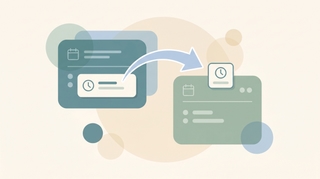
Move a Google Calendar event from one calendar to another using the calendar dropdown in the event editor — plus why drag-and-drop won't do it and which events can't be moved.

Check RSVP status on a Google Calendar invite — see who accepted, declined, or hasn't responded, read guests' notes, and get emailed when people reply.

Turn off Conversation View in Gmail so each email shows as its own message instead of grouped threads — step-by-step for web, iOS, and Android, plus when to keep it on.
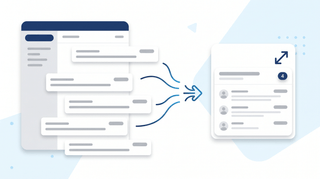
Turn on email threading (Conversation View) in new Outlook, the web, classic Windows, Mac, and mobile. How to group, sort, expand, and fix threads.
How to add a template to Notion, duplicate from the template gallery, create page button templates, set up database templates, and use the /template button.
How to archive Trello cards individually or in bulk, find archived cards, restore them, and automate archiving with Butler, across web, desktop, and mobile.
Step-by-step guide to archiving a Slack channel, who can do it, what happens to messages and files, and how to restore an archived channel.
Step-by-step instructions for archiving and restoring projects in Asana, including what archive does, archive vs delete vs CSV export, and who has permission.
Step-by-step methods for bulk editing in Salesforce Lightning, inline list view editing, Mass Update, Data Loader, and Flow. Includes when bulk edit is grayed out.
How to duplicate a Trello board, what gets copied (and what does not), how it differs from templates, and workarounds for copying members, comments, and archived cards.
Step-by-step instructions for building dashboards in Salesforce Lightning Experience, components, dynamic dashboards, filters, scheduled refresh, and folder sharing.
How to create a database in Notion, inline vs. full-page, every view type (table, board, timeline, calendar, gallery, list), properties, and linked databases.
Create deals in HubSpot from the Deals dashboard, a contact record, or a company record. Covers pipelines, stages, associations, and tier limits.
How to build, customize, and share forms in Airtable using Form view and Interface Designer, including conditional fields, prefilled URLs, embedding, and redirects.
Step-by-step instructions for creating active and static segments (formerly lists) in HubSpot, covering filter logic, AND/OR criteria, common use cases, and tier limits.
Create polls in Slack with Polly, Simple Poll, the /poll command, emoji reactions, and Workflow Builder, comparison of methods for 2026.
How to create a private channel in Slack, naming rules, who can see it, converting public to private, inviting members, and member limits.
Build reports in Salesforce Lightning. Choose a report type, add columns, filters, and groupings, then schedule email delivery to your team.
Step-by-step instructions for creating project templates, task templates, and project blueprints in Asana, including custom templates, the public gallery, and sharing.
Build HubSpot workflows with enrollment triggers, branches, and delays. Covers Breeze AI workflow creation, common templates, and plan tier gating.
How to duplicate a page in Notion, copy your own pages, duplicate from the template gallery, use Duplicate without content, and copy to another workspace.
How to embed in Notion, using the /embed slash command, supported services like Figma, Loom, YouTube, Google Drive, and how to embed any URL or file.
How to export Airtable data to Excel, including CSV download from a view, encoding fixes, attachment handling, scripting exports, and live sync to Excel.
Step-by-step instructions for exporting Asana projects to Excel and CSV, covering project exports, My Tasks, JSON, and full workspace exports via the Asana API.
Export contacts from HubSpot to CSV or Excel. Covers all properties vs. current view, segment filters, Activities exports, and per-account limits.
Four ways to export data from Salesforce, Data Export Service, exporting reports, Data Loader, and SOQL queries via Workbench. Limits and edition gating included.
How to export a Notion page, PDF, HTML, Markdown & CSV formats, single page vs. full workspace, include subpages, and what each plan supports.
Export Slack messages with Standard Export, Corporate Export on Enterprise Grid, channel-level exports, and manual copy methods, JSON format and what is included.
How to export Trello boards to JSON, CSV, Excel, or Google Sheets, what each format includes, plan requirements, and Power-Up alternatives.
Import contacts into HubSpot from a CSV. Covers file prep, property mapping, deduplication by email, multi-object imports, and common errors.
Import contacts into Salesforce with the Data Import Wizard (up to 50k records) or Data Loader for larger sets. Covers CSV prep and field mapping.
How to import CSV data into Airtable using the CSV import extension, paste, or sync, including column mapping, type detection, updating records, and common errors.
How to link pages in Notion, @mentions, /link, inline links, synced blocks, automatic backlinks, and linked database views.
Step-by-step guide to linking tables in Airtable with linked record fields, plus lookups, rollups, junction tables for many-to-many relationships, and syncs.
How to lock down a Google Drive file or folder, restrict access, turn off link sharing, manage inheritance, and audit access with the Activity dashboard.
Merge duplicate contacts in HubSpot using the duplicates tool or AI duplicate detection. Covers picking the primary record and what data merges.
Step-by-step instructions for merging duplicate leads in Salesforce Lightning Experience, using duplicate rules, choosing a master record, and what data carries over.
Mute Slack channels, threads, DMs, and keywords without leaving, desktop and mobile steps, mute vs leave, and notification preferences.
How to organize Google Drive in 2026, folder colors, starring, shared drives vs My Drive, Drive labels, search operators, and Gemini AI suggestions.
How to pin messages in Slack channels and DMs, view pinned items, the 100-pin limit per channel, removing pins, and the difference between pinned and saved.
How to restore deleted files from Google Drive trash, recover files past the 30-day window, and use Workspace admin recovery tools.
How to recover a deleted page in Notion, restore from Trash within 30 days, use page history, undo deleted blocks, and recover from admin restore.
Schedule Slack messages from the send button dropdown, edit or cancel scheduled messages, time zone handling, mobile support, and threading limits.
Step-by-step instructions for setting recurring tasks in Asana, including weekly, monthly, custom days, after completion vs. on date, and troubleshooting.
Set Slack status with preset emojis, custom messages, expiration timers, do not disturb mode, and Google Calendar sync, desktop, web, and mobile.
Step-by-step instructions for sharing folders in Google Drive, covering specific people, link sharing, permission levels, expiry dates, and Drive for desktop.
How to share a page in Notion, invite people, share to web, workspace and teamspace sharing, permission levels, guests vs. members, and link expiration.
Transfer ownership of files and folders in Google Drive. Covers single files, shared drives, Workspace domain rules, and impacts on forms and scripts.
How to upload entire folders to Google Drive, drag-and-drop, folder upload button, Drive for desktop sync, file size limits, and mobile workarounds.

Three ways to back up Gmail — Google Takeout for personal use, IMAP-to-Thunderbird for portable archives, and Workspace Vault for admin-managed retention. Step-by-step plus what each format actually contains.

Three ways to build a Gmail distribution list — Google Contacts labels (personal Gmail), Google Groups (Workspace), and Workspace mailing lists — plus when to use each, how to send, and how to manage members.

A complete guide to email encryption in Gmail — Confidential mode, S/MIME for Workspace, client-side encryption (CSE), what each one actually protects, and what to use for HIPAA, SOC 2, and legal-privilege scenarios.

Mark every unread email as read in Gmail web, mobile, and the API — including the Select All trick most people miss, the search-then-bulk method for huge inboxes, and how to do it per label.

Gmail does not support true email recall — here is what Undo Send actually does, how to extend the window to 30 seconds, the workaround for Workspace users, and what to do when the email is already gone.

Block calendar spam in Google Calendar — the "known senders only" setting, how to remove existing spam events, the report-spam button, and why declining is the wrong move.
How to add tasks to Google Calendar — create from the grid, side panel, or unified mobile creator, set time and recurrence, and the difference between tasks, events, and the deprecated reminders.
How to cancel a Google Calendar meeting — delete events, choose Send or Don't send notifications, handle recurring series, recover from Trash, and what happens to attached Meet links and Drive files.

How to use Gmail's Primary, Promotions, Social, Updates, and Forums tabs — enable or disable categories, move emails between tabs, train the classifier, and the difference between categories and labels.

How to CC someone in Gmail — show the Cc field, keyboard shortcuts, mobile CC steps, CC a contact group, recipient limits, and the difference between CC and BCC.
How to create a Google Meet link — auto-attached from a Calendar event, instant meetings via meet.new, scheduled meetings without an event, plus dial-in numbers and host controls.

Google Calendar has no native meeting poll like Outlook's Scheduling Poll. Here's what Appointment Schedules actually do, why they're not polls, and the best workarounds for group voting on meeting times.
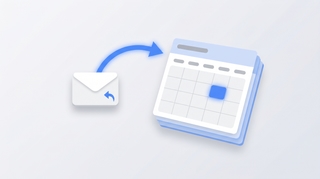
Three ways to create a Google Calendar event directly from a Gmail email — the three-dot Create event menu, Gemini's Add to calendar chip, the Calendar side panel, and mobile shortcuts.

Complete guide to exporting Gmail messages: Google Takeout for full backups, downloading single emails as EML or PDF, exporting specific labels, and Vault for Workspace admins.
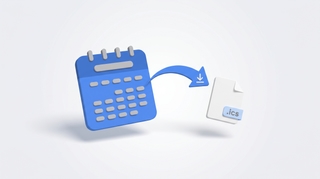
How to export Google Calendar — download all calendars as ICS via Settings, export a single calendar, import into Outlook or Apple Calendar, and what's missing from the export.
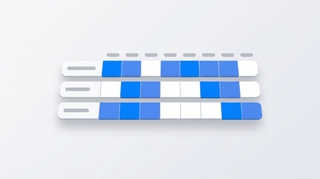
How to use Google Calendar's Find a time tab to schedule meetings across calendars, plus Gemini's Suggested times, time zone tricks, and what to do when external attendees don't show free/busy.

Why Gmail search returns no results, wrong results, or partial results — and how to fix it. Covers the new AI-relevance ranking, indexing delays, search operators, and the Smart Features setting that breaks search.

Google Calendar has no native Forward button — here are the three actual ways to forward a meeting invite, including Add guests, the Gmail forward workaround, and what changes vs Outlook.

How to set Google Calendar event visibility — Default, Public, Private — what each does, why private events still show as Busy, and the difference between visibility and Show as Free/Busy.
How to mass delete thousands of emails in Gmail using search operators, the Select all conversations link, and bulk filters — plus mobile workarounds and the storage gotchas.

How to recover deleted Gmail emails — restore from Trash within 30 days, use the Gmail Message Recovery Tool for permanently deleted mail, Workspace admin recovery up to 55 days, and Vault for retained mail.

Save Gmail emails as PDFs on every platform — single message or full thread, mobile via AirPrint and Android print, batch save with cloudHQ, and the truncation gotcha for long threads.
How to set the default event duration in Google Calendar — change to 15, 30, 45 min or custom, enable Speedy meetings to end early, and how this differs from Appointment Schedule durations.

Step-by-step guide to setting up email forwarding in Gmail — auto-forward all incoming mail, conditional forwarding via filters, multiple addresses, and what to do if your Workspace admin disabled it.

Step-by-step guide to snoozing emails in Gmail on every platform — default times, custom snoozing, swipe gestures, and why snoozed emails sometimes don't return on schedule.

How to unsubscribe from emails in Gmail using the new Manage subscriptions view, the one-click unsubscribe link, bulk methods, and what to do when unsubscribe links don't work.

Step-by-step instructions for adding Gmail, Outlook.com, Yahoo, iCloud, IMAP/POP, and Exchange/Microsoft 365 accounts to Outlook — with fixes for the most common setup errors.
Step-by-step instructions for adding a logo or image to your Outlook signature — covering the new desktop app, classic Outlook for Windows, Outlook on the web, and mobile. Plus sizing tips, hyperlinking, and fixes for the red X.
Cancel single meetings, recurring series, or just one occurrence in Outlook — plus the difference between Cancel and Delete, what attendees see, and how to recover an accidentally cancelled meeting.

A complete guide to clearing your Outlook inbox — the built-in Clean Up tool, Sweep rules, archiving, search folders, bulk delete, and a 30-minute inbox reset walkthrough.

Step-by-step instructions for turning on dark mode in Outlook — covering the new desktop app, classic Outlook for Windows, Outlook on the web, Outlook for Mac, and mobile. Plus the message-rendering toggle and calendar dark mode.

A complete guide to email encryption in Outlook — Microsoft 365 Message Encryption, S/MIME, what recipients see, license requirements, and how to fix a missing Encrypt button.

Step-by-step instructions for filtering emails in Outlook — covering view filters, search operators, Search Folders, and how filters differ from rules across web, new Outlook, and classic Outlook.

Forward meeting invites as an attendee or organizer across new Outlook, classic Outlook, and the web — with notes on the Allow Forwarding toggle and what recipients actually receive.

Step-by-step instructions for overlaying calendars in Outlook — covering side-by-side vs overlay mode, color coding, and limitations across classic Outlook, new Outlook, the web, and mobile.

Step-by-step instructions for pinning emails to the top of your inbox in Outlook — covering the new desktop app, Outlook on the web, mobile apps, and workarounds for classic Outlook.
Print your Outlook calendar in daily, weekly, monthly, or tri-fold views — covering classic Outlook, new Outlook, the web, custom date ranges, and saving as PDF.

Print single emails, batches of messages, full folders, or save as PDF — across new Outlook, classic Outlook, and the web. Plus fixes for the most common print issues.

Step-by-step instructions for saving single, multiple, and bulk email attachments in Outlook — covering the new desktop app, classic Outlook for Windows, Outlook on the web, and mobile.

Set up Outlook on iPhone using the official Outlook app or native iOS Mail, Calendar, and Contacts — plus fixes for missing calendars, contact sync, and email delays.

Step-by-step instructions for enabling and using Undo Send in Outlook on the web, the new Outlook desktop app, and the workarounds for classic Outlook for Windows.
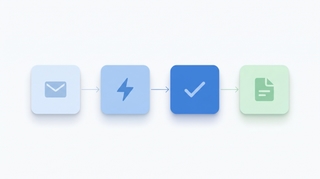
A playbook for automating work with AI agents: what they do, which workflows to automate first, how to wire them into your apps, and how to keep them safe.

Use color categories in Outlook to tag, organize, and filter your inbox. Covers create, assign, rename, search by category, and auto-categorize rules.
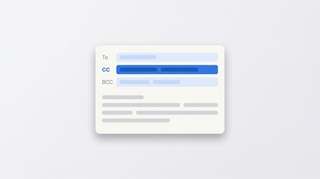
How to CC in Outlook on web, new desktop, classic, Mac, and mobile. Show the CC field, set up always-CC, and learn the difference between CC and BCC.
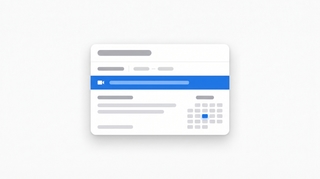
Create a Teams, Zoom, or Google Meet link in Outlook (or a calendar invite without one) across web, new desktop, classic Outlook, Mac, and mobile.
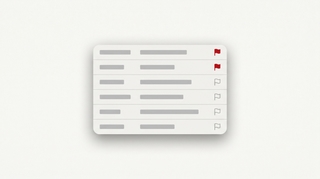
How to flag emails in Outlook for follow-up: set due dates, reminders, view flagged messages as tasks in Microsoft To Do, and clear flags.
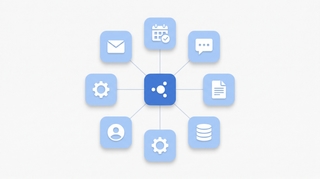
A 5-step framework for integrating AI into your daily work: pick the right tools, automate real workflows, connect to your apps, and roll out smoothly.
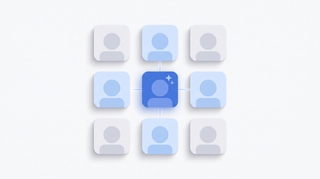
A manager's guide to rolling out AI to a team: pick the right pilot, handle resistance, set policies, measure impact, and avoid the rollouts that fail.
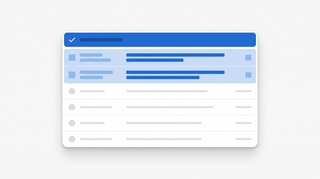
How to mark all emails as read in Outlook on web, new desktop, classic, Mac, and mobile, plus keyboard shortcuts and folder-level cleanup.

How to mass delete emails in Outlook by sender, date, search, or folder, plus Sweep, rules, and keyboard shortcuts to clear thousands at once.

How to resend an email in Outlook in classic, new Outlook, on the web, and Mac, plus the difference between resend, forward, and recall.
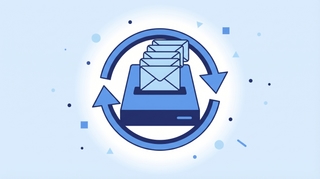
Step-by-step PST export in classic and new Outlook, OLM on Mac, and admin-level Purview Content Search for Microsoft 365 mailboxes.

Schedule Microsoft Teams meetings from Outlook on desktop, web, classic Windows, mobile, and Mac — plus fixes when the Teams button is missing.

Mark emails unread in Outlook — right-click, keyboard shortcuts, bulk actions, reading-pane timing, and mobile gestures across every version.

Report phishing and suspicious emails in new Outlook, Outlook on the web, classic Outlook for Windows, Outlook for Mac, and Outlook mobile.

Request read and delivery receipts in classic Outlook, new Outlook, Outlook on the web, and Outlook for Mac — plus why receipts often fail.
Save Outlook emails as PDF on new Outlook, the web, classic Windows, Mac, and mobile — plus how to batch emails and keep attachments.
Snooze emails in new Outlook, Outlook on the web, classic Outlook for Windows, mobile, and Mac — plus fixes when snooze is missing.
Enable, train, and disable Focused Inbox in new Outlook, Outlook on the web, classic Outlook for Windows, Outlook for Mac, and Outlook mobile.

Unsubscribe from marketing emails in Outlook using the built-in unsubscribe link, Sweep, Block Sender, and Rules — across every version of Outlook.
Use Outlook Scheduling Assistant to find free time, add attendees, AutoPick a slot, and book rooms across new Outlook, web, classic, and Mac.

Step-by-step instructions for installing and using the Zoom for Outlook add-in to schedule Zoom meetings directly from Outlook calendar — covering classic, new Outlook, web, and mobile.

Turn an email into an Outlook calendar event with drag-and-drop, right-click, or the Schedule action — covering new Outlook, classic, web, and mobile.

Step-by-step guide to creating a meeting poll in Outlook using Scheduling Poll (formerly FindTime) — find a time everyone can meet without the back-and-forth.

Step-by-step guide to delegating Outlook calendar access — let an assistant or colleague view, edit, or respond to meetings on your behalf, with the right permission level.

Step-by-step troubleshooting guide for fixing Outlook search when it returns no results, partial results, or errors — covering classic, new Outlook, web, and mobile.

Two-stage guide to recovering deleted emails from Outlook — from the Deleted Items folder and from the Recoverable Items server folder, in classic, new, web, and mobile.

Step-by-step instructions for sharing free time slots from your Outlook calendar in an email — no add-in, no link, just clean availability blocks recipients can click.

Step-by-step instructions for sending email to a contact group, distribution list, or Microsoft 365 group in Outlook — covering classic, new Outlook, web, and mobile.

Step-by-step guide to using @mentions in Outlook email and meeting invites — get attention, auto-add recipients, and filter your inbox by mentions.

Step-by-step guide to creating, editing, and using Quick Steps in Outlook to automate multi-step email actions with one click — covering classic, new Outlook, and web alternatives.
Step-by-step guide to adding public holidays to Outlook Calendar — every version including web, desktop, classic, and mobile, plus custom ICS calendars.
Step-by-step guide to creating calendar events in Outlook — web, desktop, classic, and mobile, plus meeting invites, all-day events, and shortcuts.

Step-by-step instructions for creating polls in Outlook using Microsoft Forms and voting buttons — every version including web, desktop, and mobile.

Step-by-step guide to creating a shared mailbox in Microsoft 365 — admin center setup, adding to Outlook desktop and web, and managing permissions.

Step-by-step instructions for creating tasks in Outlook — My Day, To Do integration, flagging emails, assigning tasks, and every Outlook version.

Step-by-step instructions to delay email delivery in Outlook — hold messages in your Outbox before they send using delay delivery rules and per-message settings.
Step-by-step instructions for exporting emails from Outlook — PST export, saving as .eml or .msg, Microsoft 365 admin tools, and backup strategies.
Step-by-step instructions for importing contacts into Outlook — CSV files, vCard imports, Gmail migration, and troubleshooting field mapping issues.

Step-by-step instructions for changing the default font in Outlook — web, new desktop, classic Windows, and Mac, plus cross-client font rendering.

Step-by-step instructions to automatically forward emails in Outlook — covering web, new desktop, classic Outlook rules, and Exchange admin.
Add Google Calendar to your Mac using Apple Calendar, the Chrome web app, or third-party apps. Covers sync setup, notifications, widgets, and troubleshooting.
Step-by-step guide to archiving emails in Gmail on desktop and mobile. Learn where archived emails go, how to find them, how to unarchive, and the difference between archive and delete.

Step-by-step guide to using BCC (blind carbon copy) in Gmail on desktop and mobile — plus how to always BCC yourself, when to use BCC, and etiquette tips.

Step-by-step guide to blocking senders in Gmail on desktop and mobile, unblocking, reporting spam and phishing, muting threads, and blocking entire domains with filters.

Change which calendar new events are added to by default in Google Calendar. Covers desktop settings, mobile behavior, and workarounds for multiple accounts.

Step-by-step instructions for creating a new Google Calendar on desktop and mobile, plus practical advice on when separate calendars make sense and how to organize them.

Step-by-step guide to creating and managing contact groups (labels) in Gmail and Google Contacts — on desktop and mobile, with tips for sending group emails.

Step-by-step guide to enabling, creating, inserting, updating, and deleting email templates in Gmail — plus how to combine templates with filters for auto-replies.

Step-by-step guide to creating, editing, and managing Gmail filters to automatically label, archive, delete, or forward emails — plus common filter recipes for newsletters, notifications, and VIPs.

Gmail uses labels instead of folders — here's how to create labels that work like folders, organize emails into them, and set up auto-sorting with filters.
Step-by-step guide to creating, color-coding, and managing labels in Gmail on desktop and mobile. Organize your inbox with labels, sub-labels, and quick-apply shortcuts.

Step-by-step guide to deleting a Google Calendar on desktop and mobile — plus how to unsubscribe from calendars, remove shared calendars, and recover a deleted calendar.

Print your Google Calendar from desktop or get a printable view on mobile. Covers daily, weekly, and monthly layouts, print settings, and workarounds for better formatting.

Accidentally deleted a Google Calendar event? Here is how to recover it from Trash, check your email for details, and prevent accidental deletions in the future.

Step-by-step guide to turning on Gmail's vacation responder on desktop and mobile, writing a good out-of-office message, setting date ranges, and customizing auto-replies for Google Workspace.

Set up reminders in Google Calendar for individual events or as defaults. Covers notification types, multiple reminders, mobile alerts, and the difference between reminders and notifications.

Sync Google Calendar with your Android phone — covers initial setup, adding multiple accounts, fixing sync issues, and managing calendar visibility.

Step-by-step guide to unsending emails in Gmail using Undo Send on desktop and mobile. Learn how to change the undo window to 30 seconds, what to do if you miss it, and how Gmail compares to Outlook recall.
Archive emails in Outlook on the web, the new desktop app, classic Outlook, and mobile — plus how to find archived mail and set up auto-archive.

Step-by-step instructions for using BCC in Outlook — how to show the BCC field, always BCC yourself, and use BCC in Outlook on the web, desktop, and mobile.

Block emails and senders in Outlook on the web, the new desktop app, classic Outlook, and mobile — plus how to unblock and manage your blocked senders list.
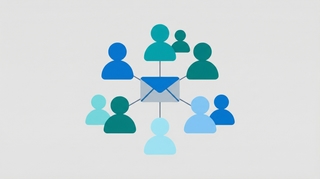
Step-by-step instructions for creating distribution lists (contact groups) in Outlook — covering Outlook on the web, the new desktop app, classic Outlook for Windows, and how to manage and edit your lists.
Step-by-step instructions for creating, saving, and using email templates in Outlook — covering Outlook on the web, the new desktop app, classic Outlook for Windows, and My Templates.

Create folders in Outlook to organize your inbox — on Outlook on the web, the new desktop app, classic Outlook for Windows, and mobile.
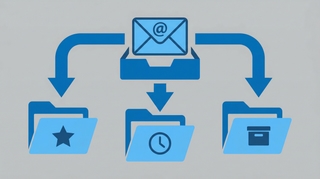
Step-by-step instructions for creating email rules in Outlook to automatically sort, move, flag, or forward messages — covering Outlook on the web, the new desktop app, and classic Outlook for Windows.

Step-by-step instructions for recalling or unsending an email in Outlook — covering classic Outlook for Windows, the new Outlook app, Outlook on the web, and what actually happens when you hit recall.

Step-by-step instructions for setting up out-of-office automatic replies in Outlook on the web, desktop (Windows and Mac), and mobile — including how to set date ranges, customize messages for internal vs. external contacts, and turn it off.

Add shared calendars, subscribe to ICS feeds, import .ics files, connect Google Calendar, and more — step-by-step for every version of Outlook.

Step-by-step guide to creating and managing email signatures in Gmail — on desktop and mobile, with images, hyperlinks, and multiple signature support.

Step-by-step instructions for adding an email signature in Outlook on the web, desktop (Windows and Mac), and mobile — plus how to add images, hyperlinks, and set different signatures for new emails vs. replies.

Step-by-step guide to scheduling emails in Gmail on desktop and mobile. Learn how to use Schedule send, edit or cancel scheduled messages, and pick the best send times.

Step-by-step instructions to schedule emails for later delivery in Outlook on the web, the new Outlook desktop app, classic Outlook for Windows, and Outlook mobile.

Show a second or third time zone in Outlook Calendar on web, Windows, and Mac — plus tips for labeling zones and scheduling across regions.

Step-by-step guide to installing the Zoom add-on for Google Calendar, auto-generating meeting links, and setting Zoom as your default conferencing option.

How to use categories, conditional formatting, and calendar colors in Outlook to build a visual scheduling system that makes your week readable at a glance.

Step-by-step guide to creating and managing recurring meetings in Outlook on the web and desktop, including recurrence patterns, edits, and common fixes.

Set working hours in Outlook to signal your availability, trigger outside-hours warnings for colleagues, and automatically reply when you're off the clock.
Step-by-step guide to connecting Google Calendar with Slack for auto-status updates, meeting reminders, availability sharing, and more.

Google Calendar refreshes subscribed ICS calendars roughly every 12–24 hours. Here's what that means in practice, why you can't force a refresh, and workarounds.

Every Google Calendar keyboard shortcut for navigation, creating events, switching views, and managing your schedule — including how to enable shortcuts first.

Yes — Google Calendar still supports natural language event creation in 2026. Here's exactly how it works on desktop, mobile, and what it can and can't parse.

Google Calendar can show multiple calendars in separate side-by-side columns in Day view. Here is how to enable it and when it is useful.
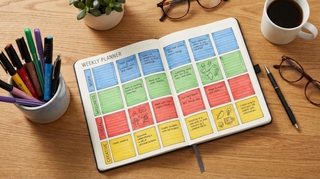
A practical guide to time blocking in Google Calendar — setting it up, maintaining it, and using the right features to protect your focused work time.
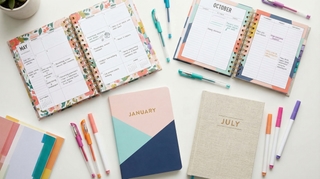
The actual limit on Google Calendars per account, how to manage multiple calendars without losing your mind, and when to split vs combine.

Add Google Calendar to iPhone using the Google Calendar app or the native Apple Calendar app — with sync settings, widget setup, and troubleshooting common issues.
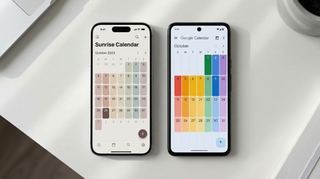
Three ways to view your Google Calendar inside Outlook — ICS subscription, CalDAV sync, and third-party tools. What each does, what it costs, and which to use.

If you're manually entering 10-15 names every time you schedule a recurring event, there's a better way. Google Groups works. Carly's Chat with Cal is even easier.

Display multiple time zones in Google Calendar — including a world clock sidebar, secondary time zones, and tips for scheduling across time zones without confusion.
Three ways to automatically copy or mirror events from one Google Calendar to another — using Zapier, Google Apps Script, and CalendarBridge. With tradeoffs for each.

A complete guide to color coding Google Calendar — apply colors to individual events, entire calendars, and build a visual system that makes your week readable at a glance.

Step-by-step guide to creating calendar invites in Google Calendar on desktop and mobile — adding guests, setting reminders, attaching video links, and managing RSVPs.

How to build a link that opens Google Calendar pre-filled with your event. Works in emails, websites, and landing pages. Includes URL format and a generator.

Embed a Google Calendar on any website using the built-in embed code — with options for display size, view type, showing multiple calendars, and styling tips.

How to find your Google Calendar's ICS link so others can subscribe to it. Covers public calendars, private address, and what each URL type does.

How to find and publish your Outlook calendar's ICS link so others can subscribe to it. Covers Outlook on the web, desktop, and what the URL format looks like.

Step-by-step: set up a recurring Google Meet with the same link every time. Works for daily standups, weekly team syncs, and any repeating meeting.

Set working hours in Google Calendar to show your availability, automatically decline outside-hours invites, and help colleagues schedule meetings at the right time.

Learn how to add holidays from any country to Google Calendar, manage multiple holiday calendars, and customize which holidays appear on your schedule.

Learn how to use time blocking in Google Calendar to protect focus time, manage your schedule, and boost productivity with step-by-step instructions.
Learn how to organize, color-code, and manage multiple Google Calendars effectively. Covers creating calendars, toggling visibility, and cross-account management.

Learn how to create, edit, and manage recurring meetings in Google Calendar. Covers custom repeat patterns, exceptions, and best practices.
Learn how to create and manage a shared team calendar in Google Calendar. Covers setup, permissions, best practices, and tools for team coordination.
ICS subscription, connected accounts, CalendarBridge — the real options for syncing Google Calendar and Outlook, with honest notes on what each one can and can't do.
How to schedule a meeting with multiple people without endless email threads. Polls, availability grids, calendar tools, and AI — step by step.

Copy events between Google Calendars in seconds — no manual re-entry, no third-party syncing tools. Here's how to do it for free with Carly.
Step-by-step guide to subscribing to any calendar URL or .ics feed in Google Calendar. Works for sunrise/sunset calendars, sports schedules, holidays, and more.
Step-by-step guide to subscribing to any calendar URL or .ics feed in Outlook. Works for sunrise/sunset calendars, sports schedules, holidays, and more.

A step-by-step guide for executive assistants: check your boss's schedule, move meetings, place holds, find availability, and convert time zones — all by chatting with Carly.
Stop going back and forth to find meeting times. CC Carly on any email thread and she handles the scheduling for you. See real email examples.
Carly can start email conversations on your behalf, handle the back-and-forth, and update you when meetings are booked. See how delegated outreach works.
Every method for finding a meeting time that works for a group — polls, scheduling assistants, shared calendars, and AI — with step-by-step instructions for each.
Add contacts, save relationships, and create groups in Carly so scheduling with your regular people is instant. Step-by-step guide with examples.
Scheduling a meeting with 5+ people is painful. Carly's availability polls make it easy — see exactly how it works with real email examples.
Learn how to schedule meetings instantly by emailing Carly. Step-by-step walkthrough with real email examples showing the full scheduling flow.
Copy-paste email templates for sending your availability, plus step-by-step instructions for Outlook, Gmail, and the tools that eliminate the back-and-forth entirely.
Make your meeting proposals clickable. Learn how to set up Carly's click-to-book links so recipients can book meetings with literally one click.
Get an evening email previewing your next day's schedule. Learn how to turn on Carly's daily briefing from your dashboard.
Step-by-step instructions for sharing your calendar on every major platform — Google Calendar, Outlook, and iPhone — plus a smarter way to share just your availability.
See your calendar, check availability, and add Carly to emails — all without leaving Gmail. Here's how to set up and use Carly's Chrome extension.
Track contacts, add custom fields, and set up Skills to automatically update information. Here's how to use Carly as a simple CRM.
Manage your calendar from your phone with a text message. Learn how to schedule, cancel, and check your day using Carly's SMS feature.

Step-by-step instructions for exporting your contacts as CSV or Excel files from Salesforce, HubSpot, Zoho, Pipedrive, Attio, Monday.com, Freshsales, Oracle, Copper, and Close.

Learn how to share your Google Calendar step-by-step. This guide covers desktop, mobile, embedding, permissions, delegation, and troubleshooting.
Learn how to share your Outlook calendar across web, desktop, and mobile platforms, including links, ICS subscriptions, delegate access, and permission levels.